Lead Requests for Agents
Used in these workflows
- Purpose: To allow an agent to use the Request Leads feature, you must configure their permissions.
- How to configure:
- Navigate to Employees -> General from the main sidebar.
- Select the employee you wish to configure.
- Click on the Configurations tab in the employee's profile.
- In the Lead Request Configuration section, add the specific lead pools the agent is allowed to request.
- You can also set the maximum number of leads an agent can request per day.
- Click Submit to save.
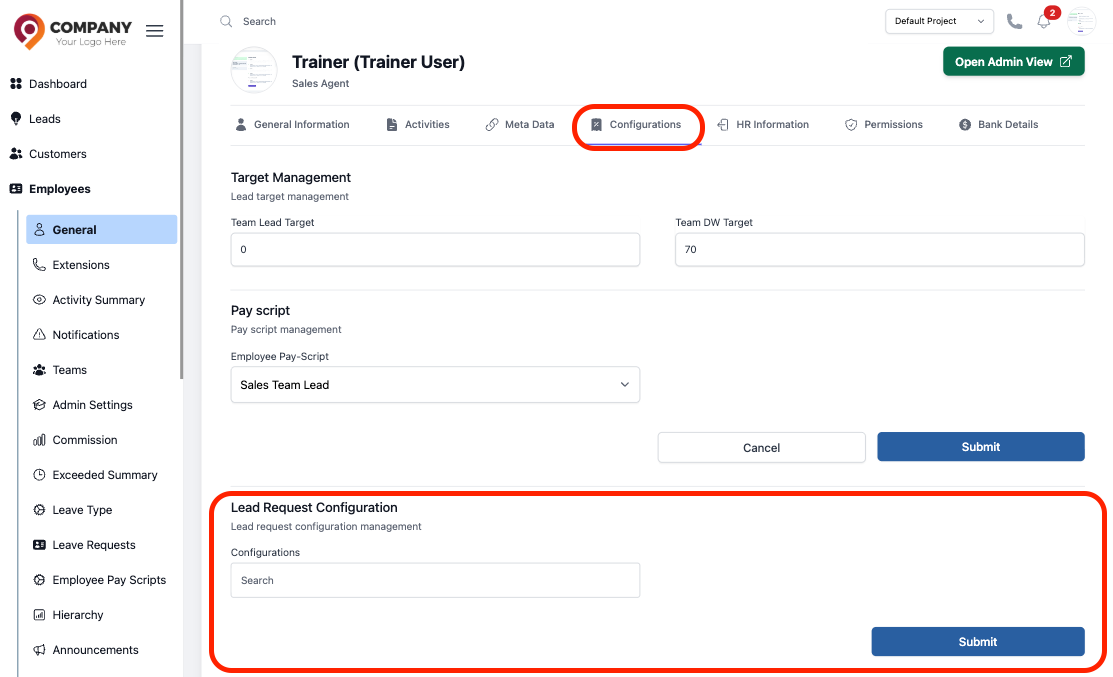
Figure: Lead Request Configuration