How to Assign Employees to the Leaderboard
Used in these workflows
-
Purpose: To include employees in the Leaderboard, It must encourage the people to do some sales.
-
How to configure:
-
Navigate to Employees -> Employee Targets from the main sidebar.
-
Set the following Targets for the employees.
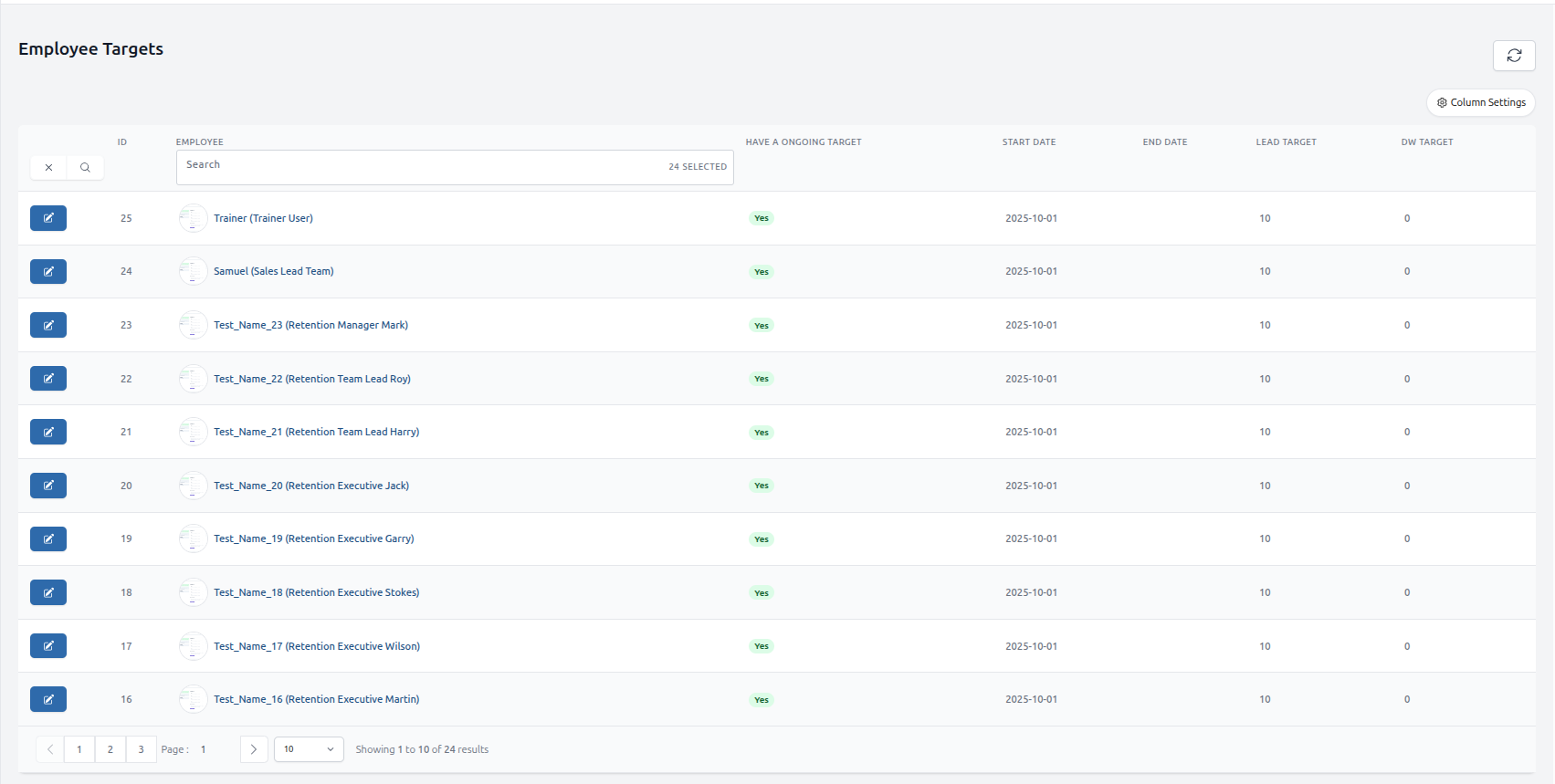
Figure: Leaderboard Employee Assignment
-
Select the names of all employees and set the targets.
-
Go to Admin Settings -> Leads -> Leaderboard Setup.
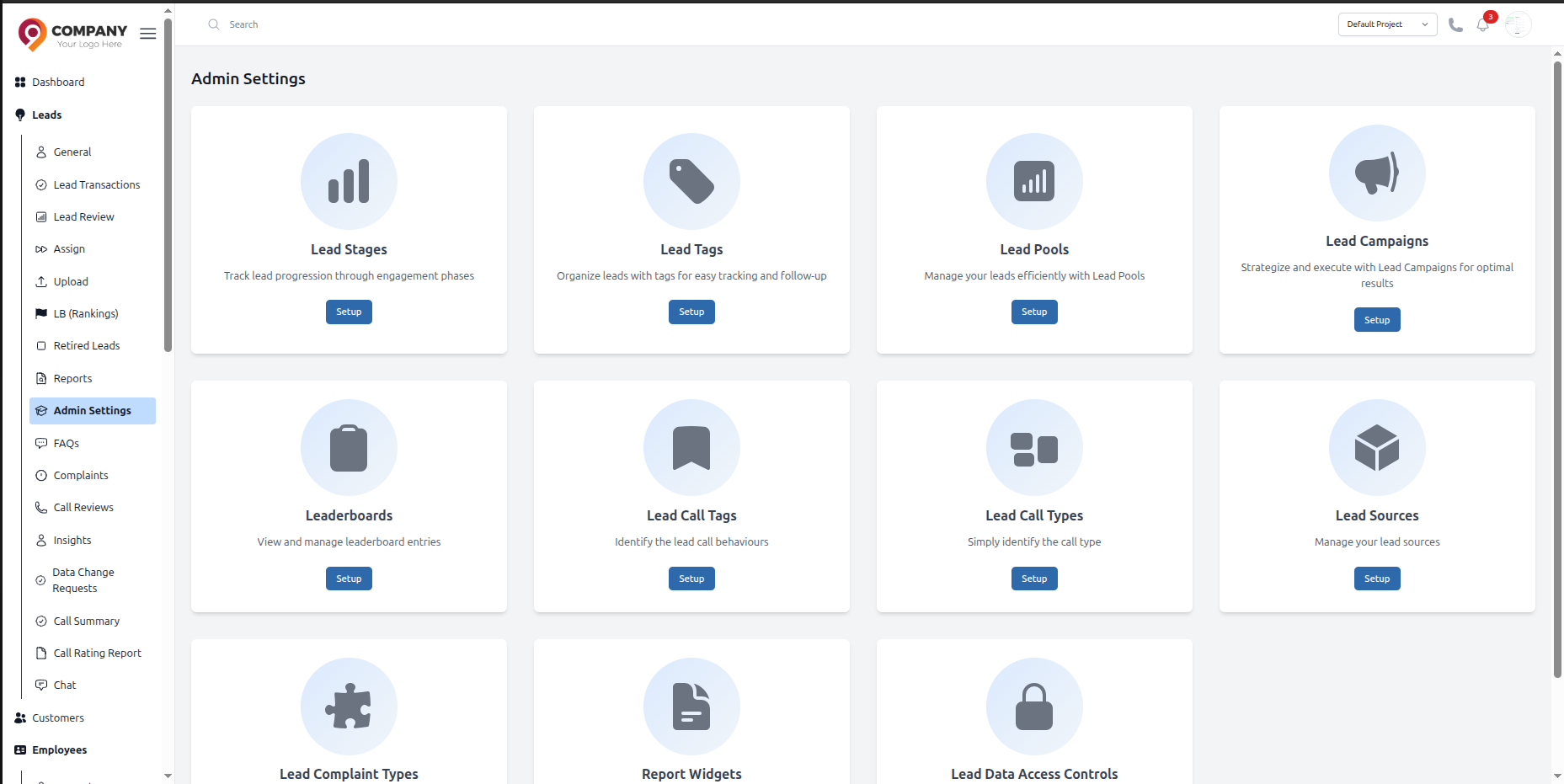
Figure: Leaderboard Employee Assignment
-
Choose the desired Leaderboard Type (Sales or DW/Retention).
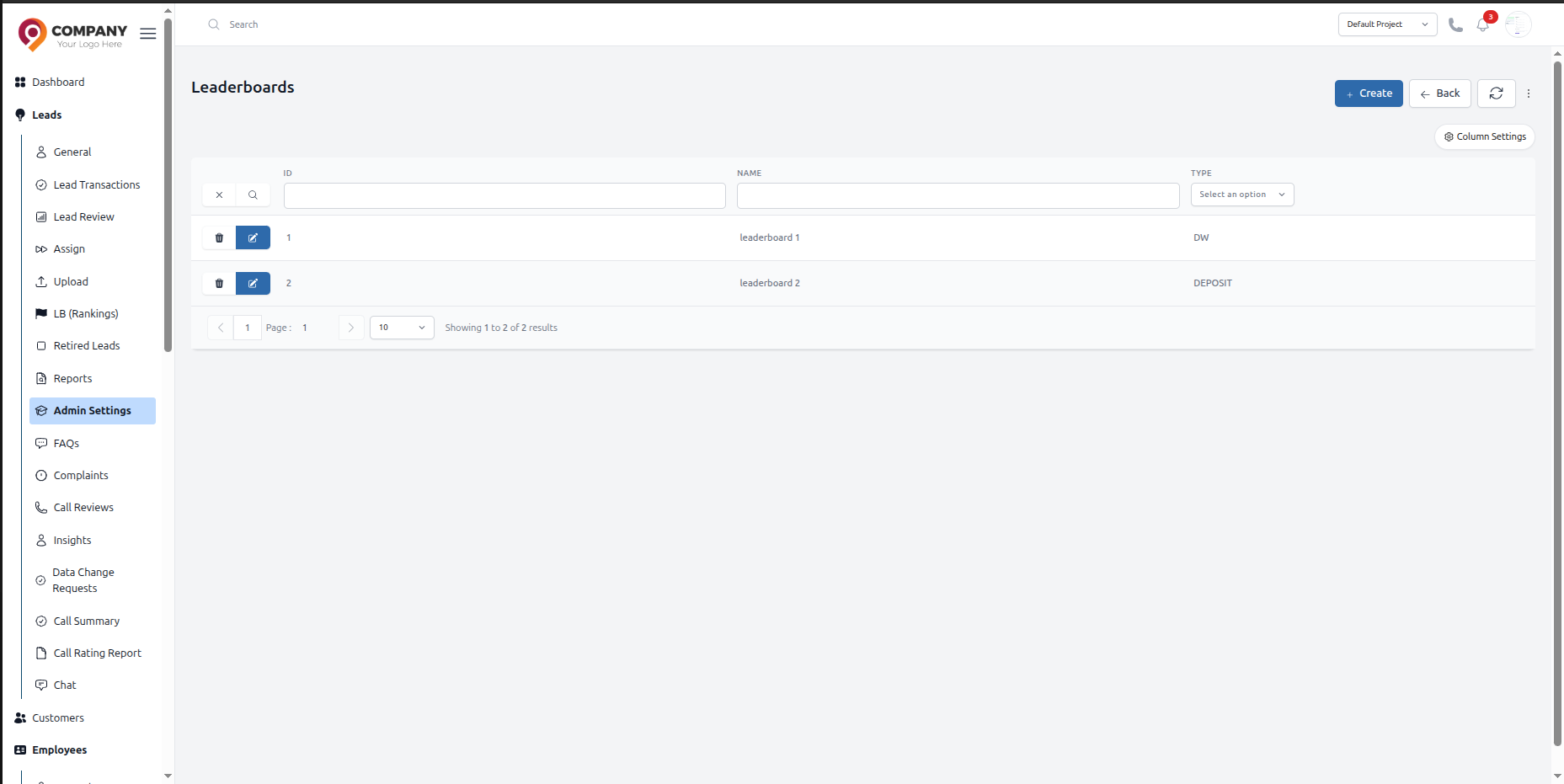
Figure: Leaderboard Employee Assignment
-
Open the selected leaderboard, go to the Participants section, and assign the employees to it.
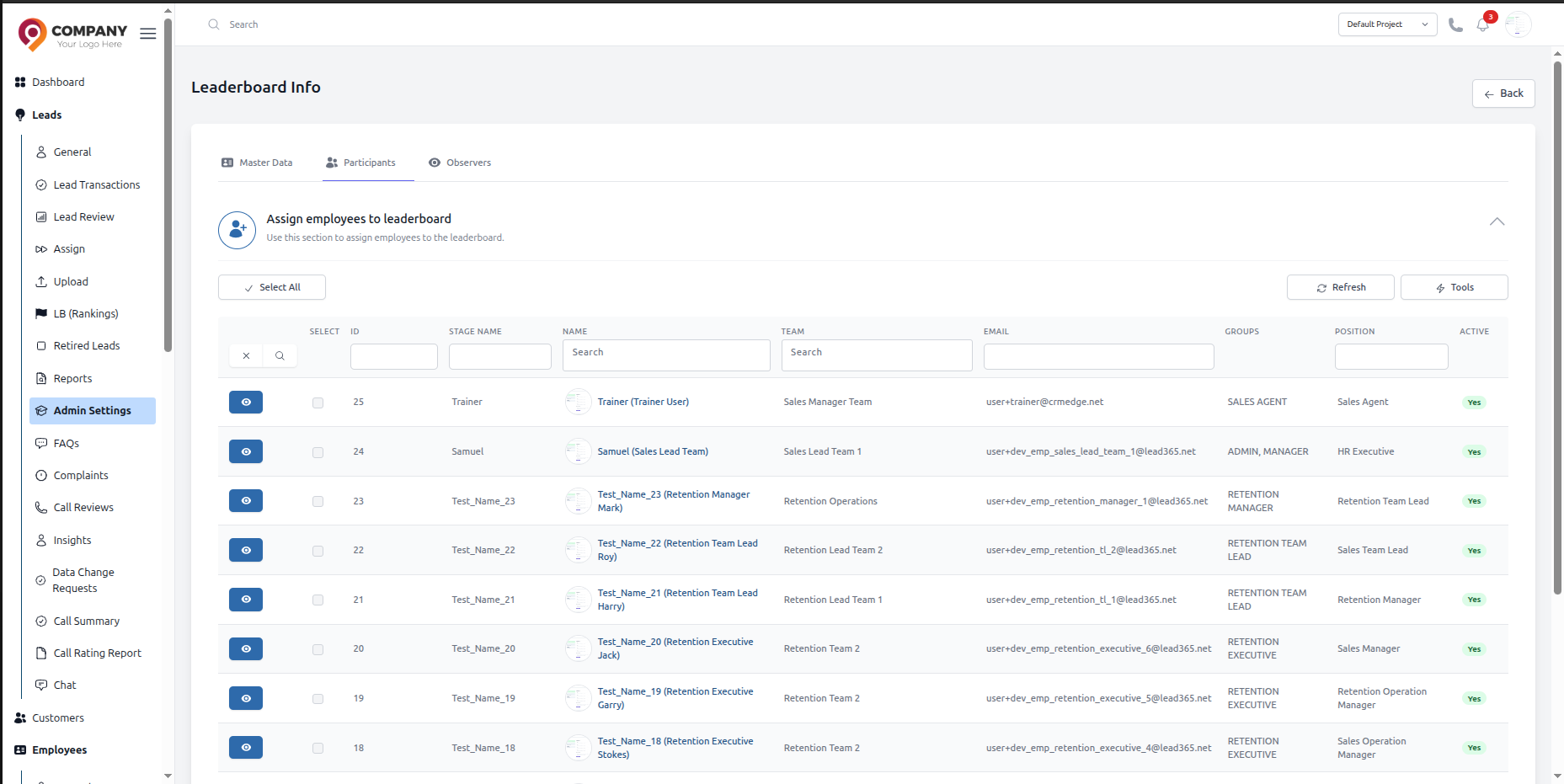
Figure: Leaderboard Employee Assignment
-
Finally, you can view the leaderboard on Leads -> LB (Ranking).
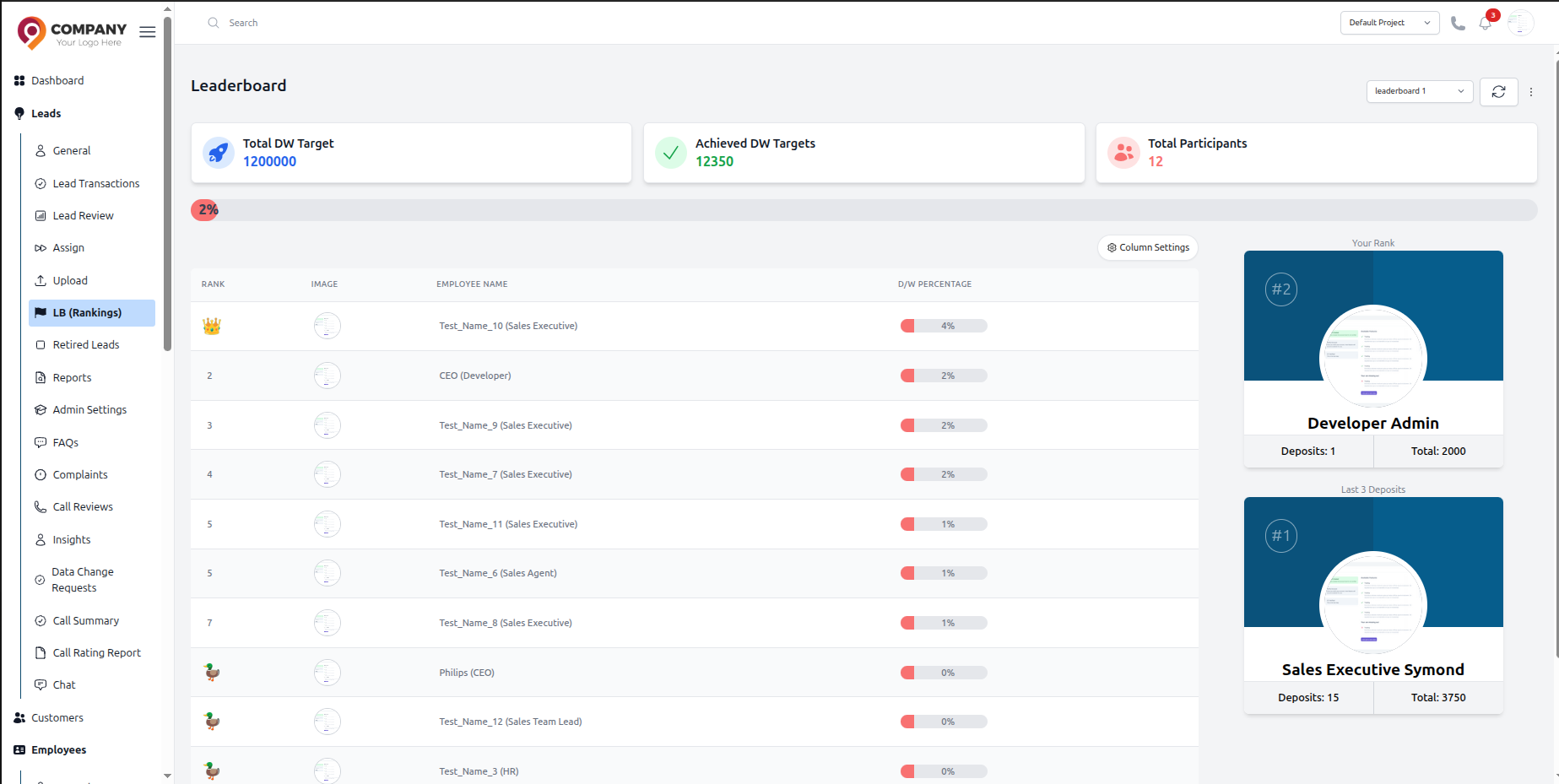
Figure: Leaderboard Employee Assignment
-