Performance Tracking
Used in these workflows
Individual Agent Performance
These tools allow you to drill down into the performance of specific team members.
Employee Insights
- What it is: A detailed, one-screen report on an individual agent's performance, found at Leads > Insights.
- How to use it:
- Go to Leads > Insights.
- Choose an employee from the list to see their personal dashboard.
- You can switch between tabs like Lead Activities, Call Insights, Compliance, Assign History, Commissions, and Monthly Transactions to get a full breakdown of their work.
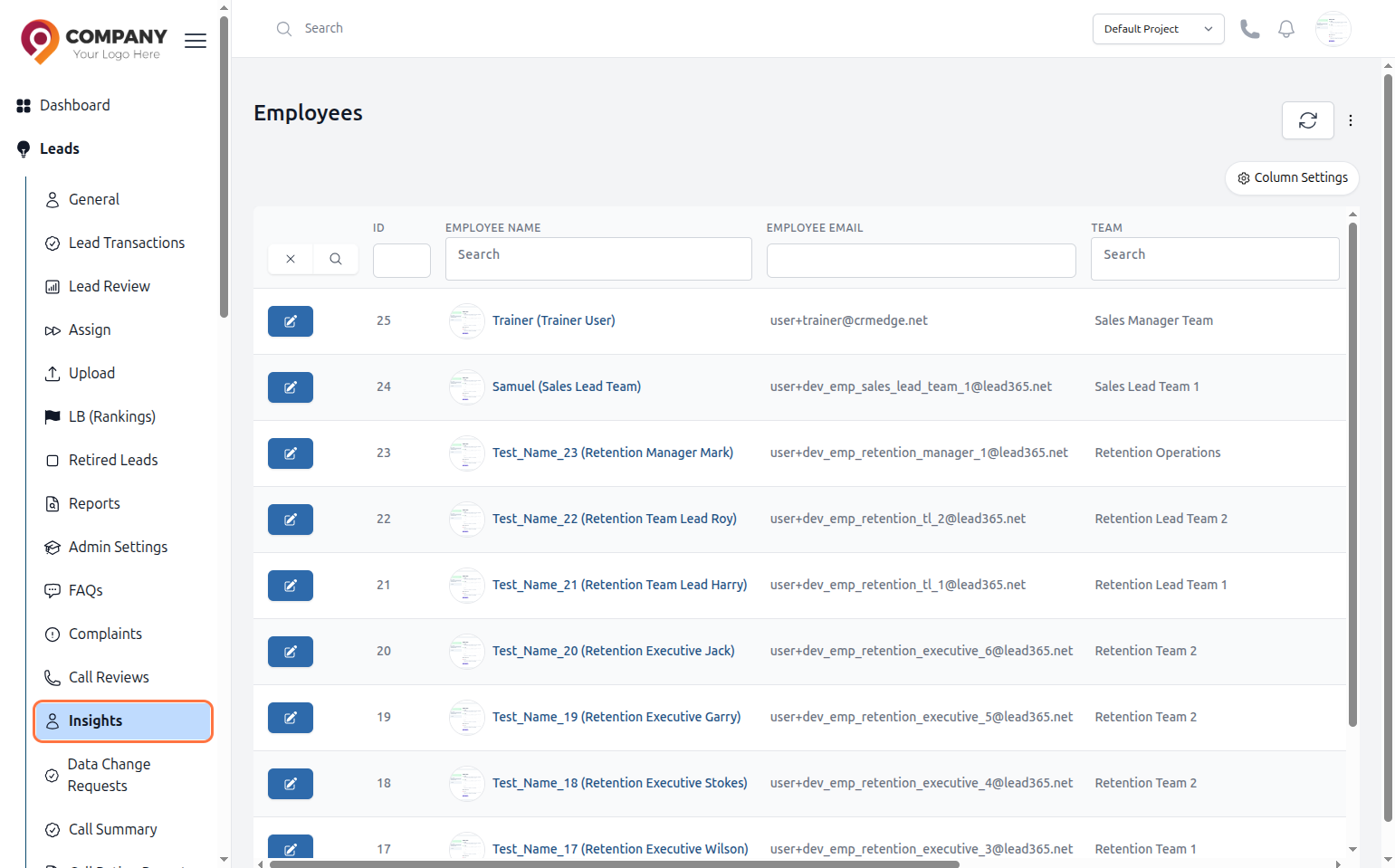
Figure 1: Employee Insights
Call Summary
- What it is: A dedicated section at Leads > Call Summary to analyze call data for your agents.
- What you can see: Key metrics like the number of attempted calls, unique calls answered, and the total duration spoke.
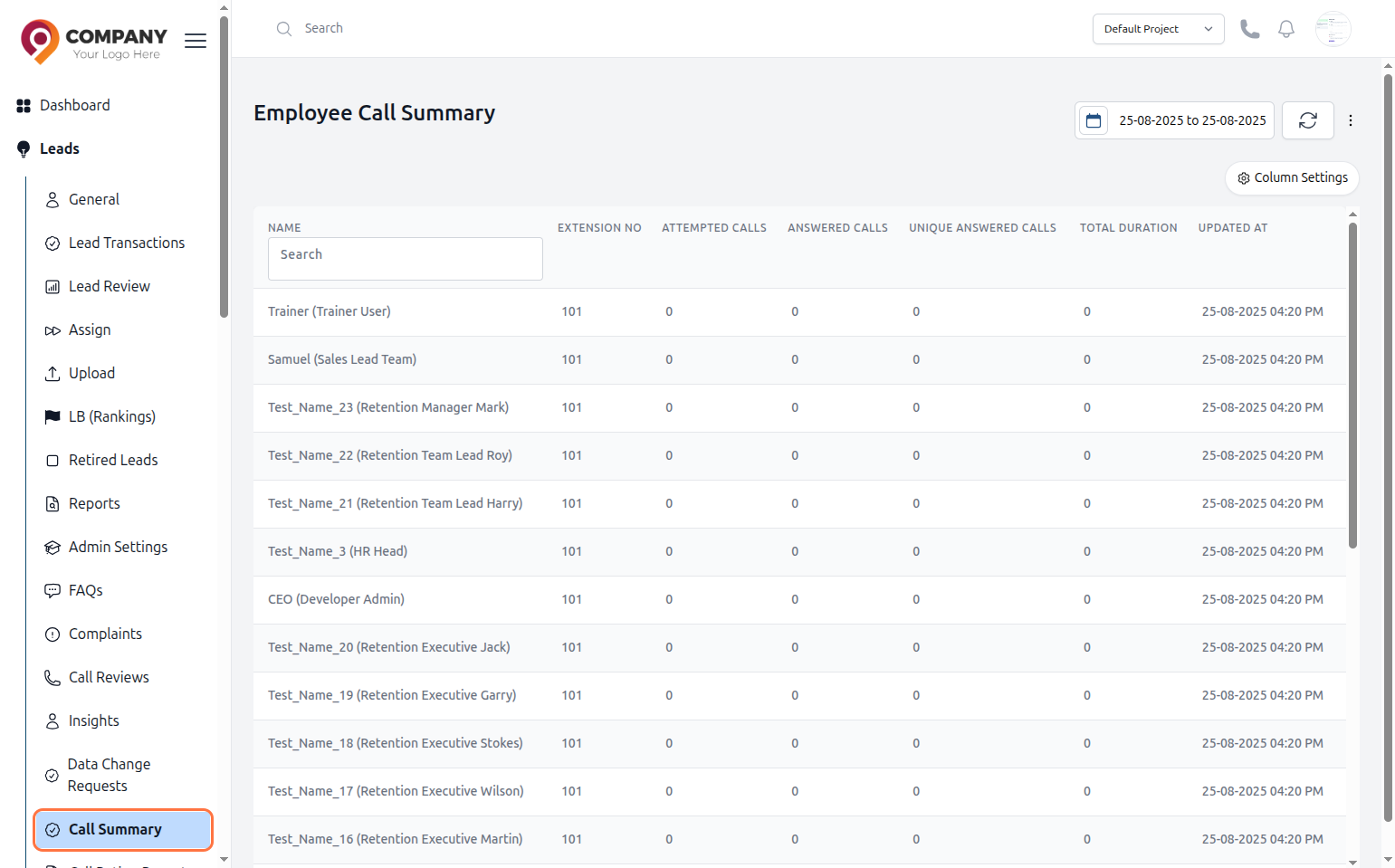
Figure 2: Employee's Call Summary
Call Rating Report
- What it is: This report, found at Leads > Call Rating Report, compiles the performance ratings that managers have given to agents during call reviews.
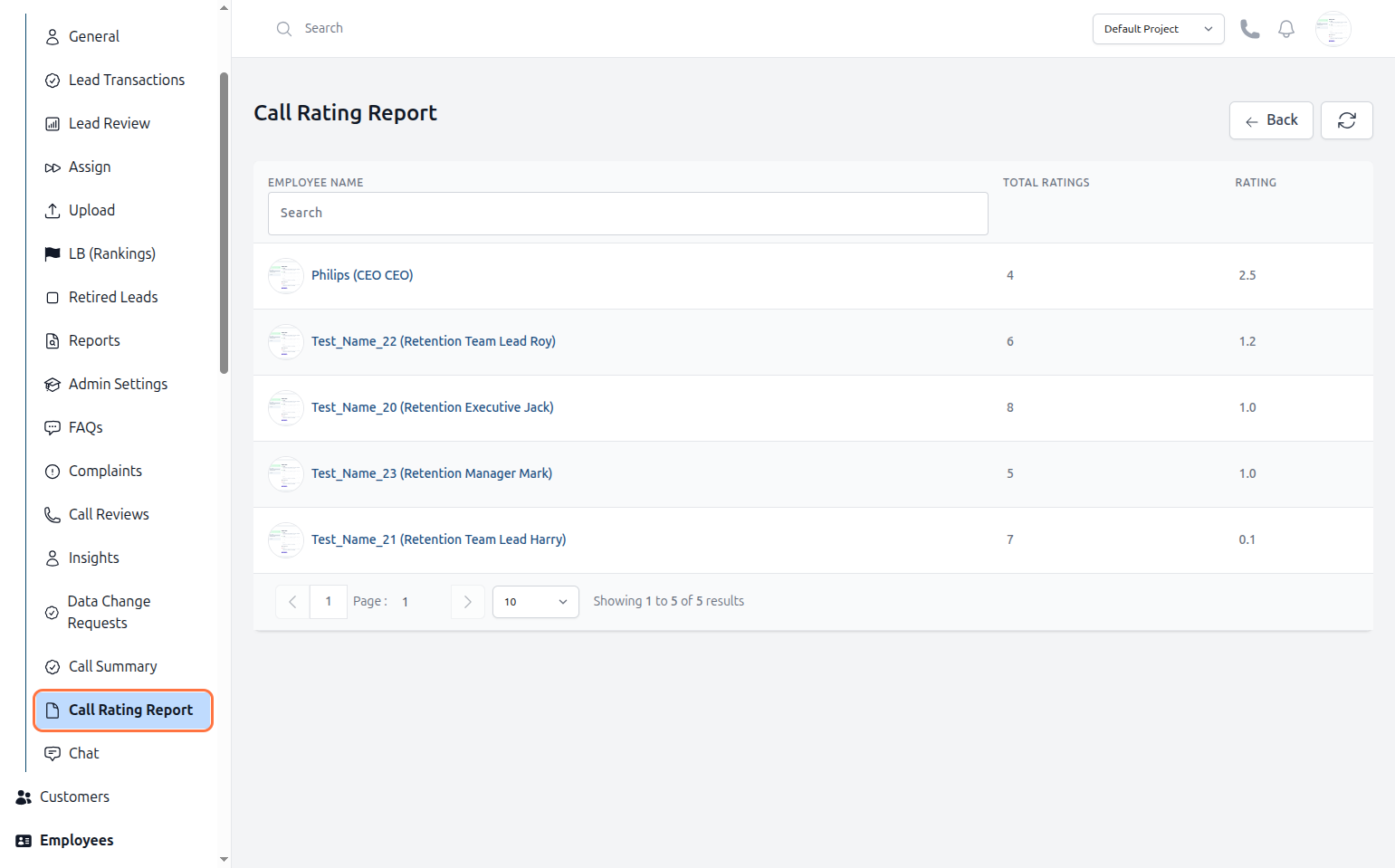
Figure 3: Employee's Call Ratings
Motivation and Quality Control
Use these features to motivate your team and ensure high standards are met.
Motivating Your Team with Leaderboards (LB (Rankings))
-
What it is: A tool to create friendly competition and track agent performance on key metrics. You can create multiple leaderboards for different goals.
-
How to View Rankings: To see the live agent rankings, navigate to Leads > LB (Rankings) in the sidebar.
-
How to Create and Manage Leaderboards:
- Navigate to Leads > Admin Settings.
- Find and click on the Leaderboards card.
- On this page, you can see and edit a list of existing leaderboards.
- Click the + Create button to make a new one.
- You will then be prompted to give the leaderboard a Name and define its Type (e.g., based on DEPOSIT, DW, etc.) and other rules for the competition.
- Click Submit or Save to create the new leaderboard.
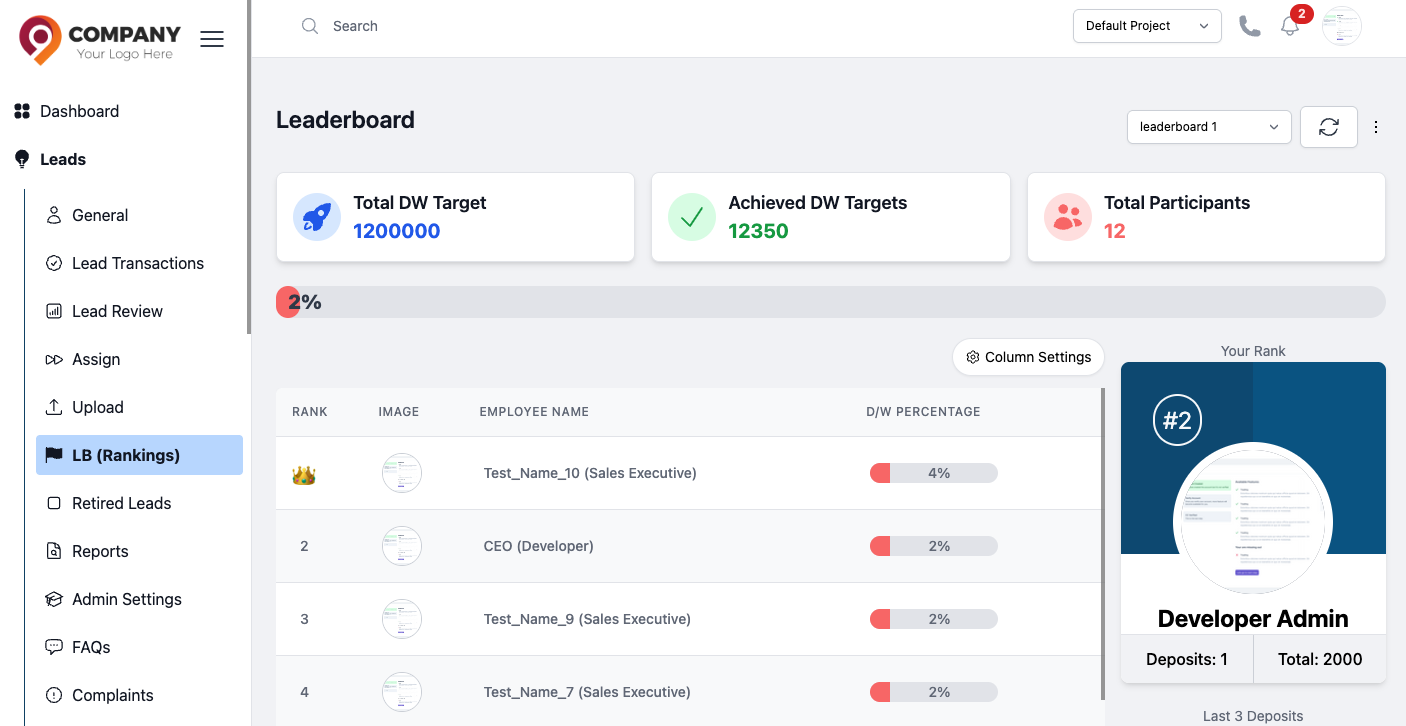
Figure 4: Employee Leaderboard
Call Reviews and Complaints
Call Reviews: Go to this section to listen to agent call recordings and provide formal ratings. This is a vital tool for training and quality assurance.Complaints: Go here to view and manage all complaints filed by agents on behalf of leads.Compliance Tab: When viewing any lead's profile, you can click this tab to leave a formal rating for your agent's work on that specific lead.