Agent Workflow: Recording and Approving Customer Deposits
Used in these workflows
- Navigate to Customers -> General from the main sidebar.
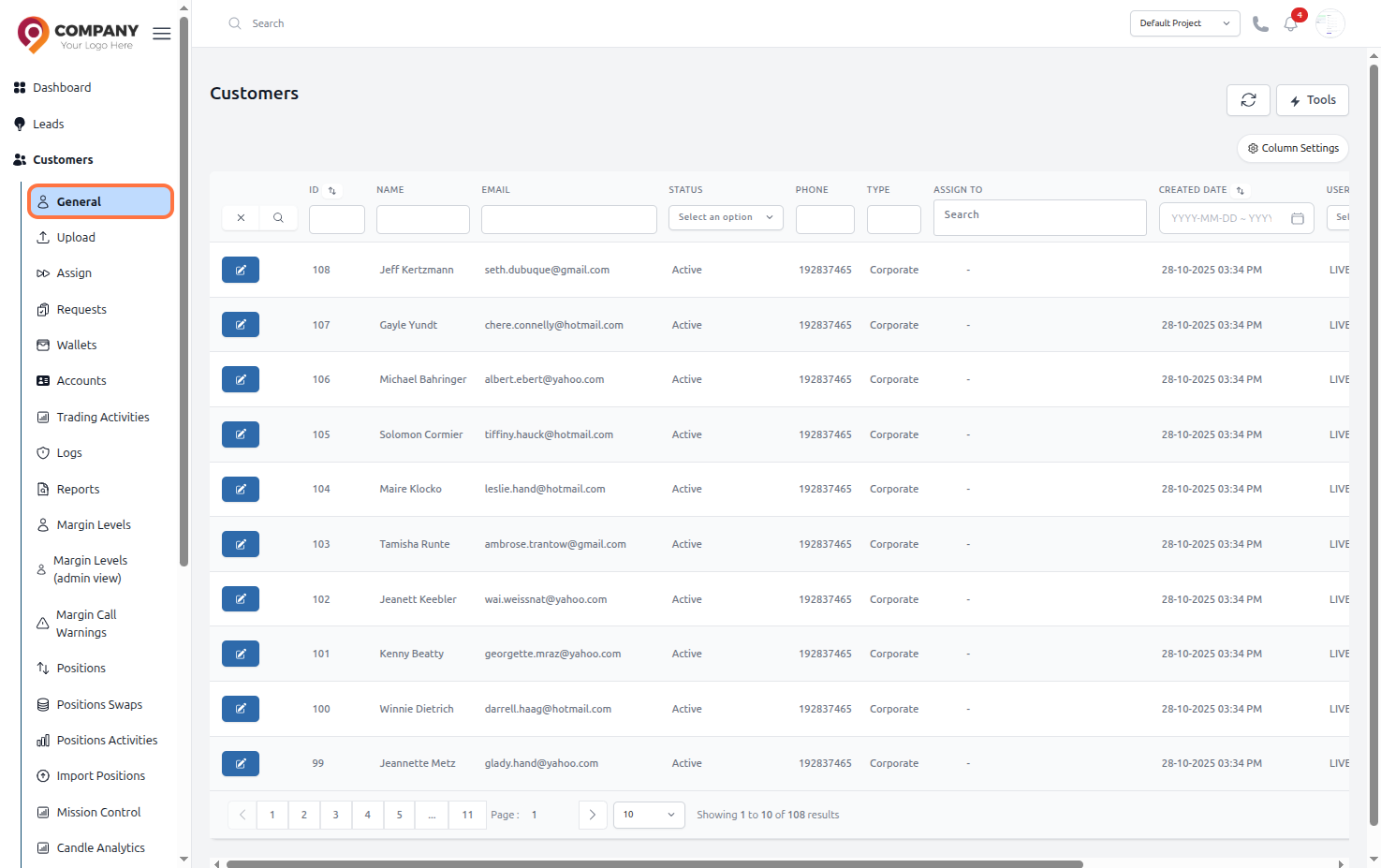
Figure: Deposit Process
- Search and Select the Customers edit button the on the edge.
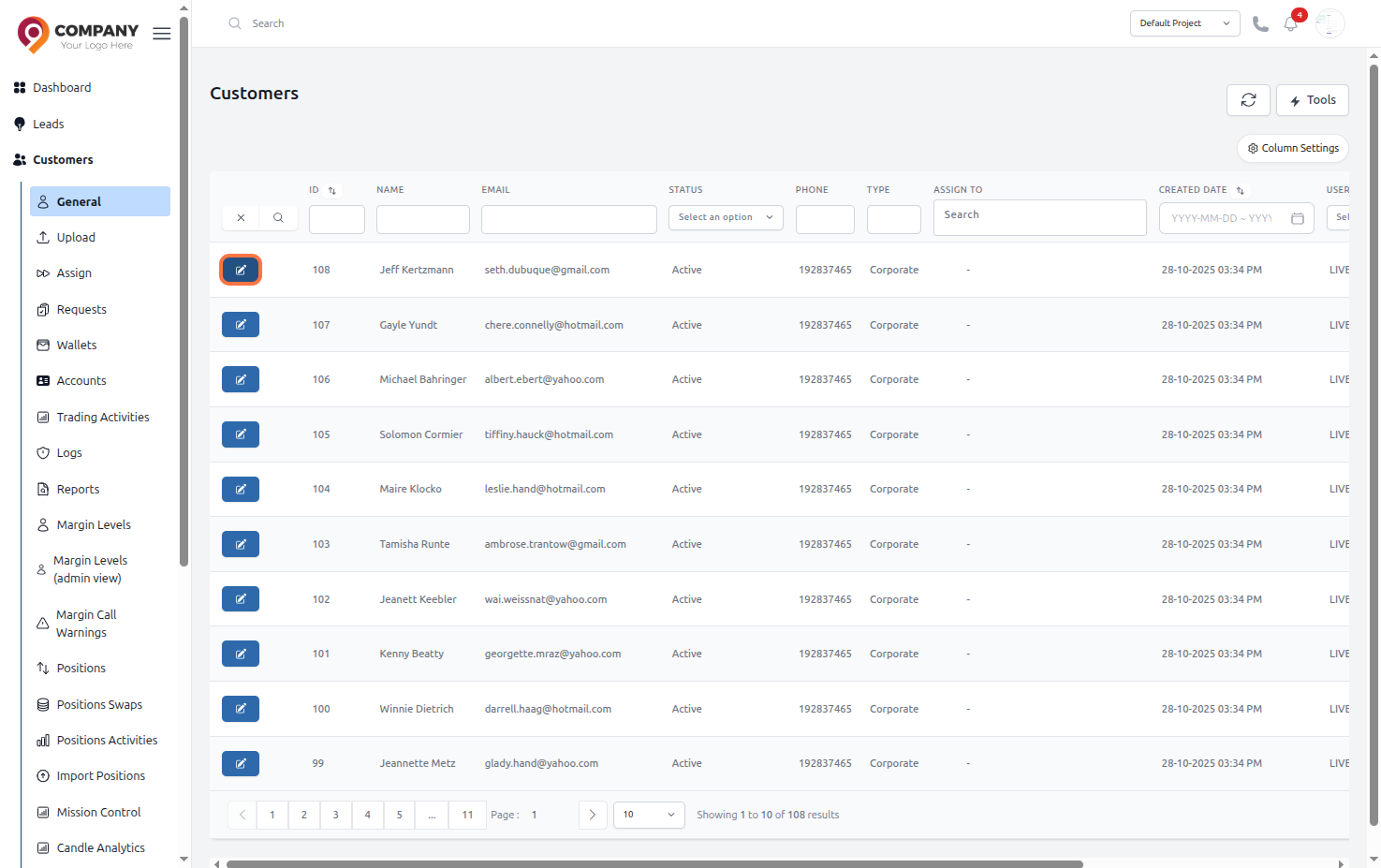
Figure: Deposit Process
- After that click the section called financial in the corner of the menu.
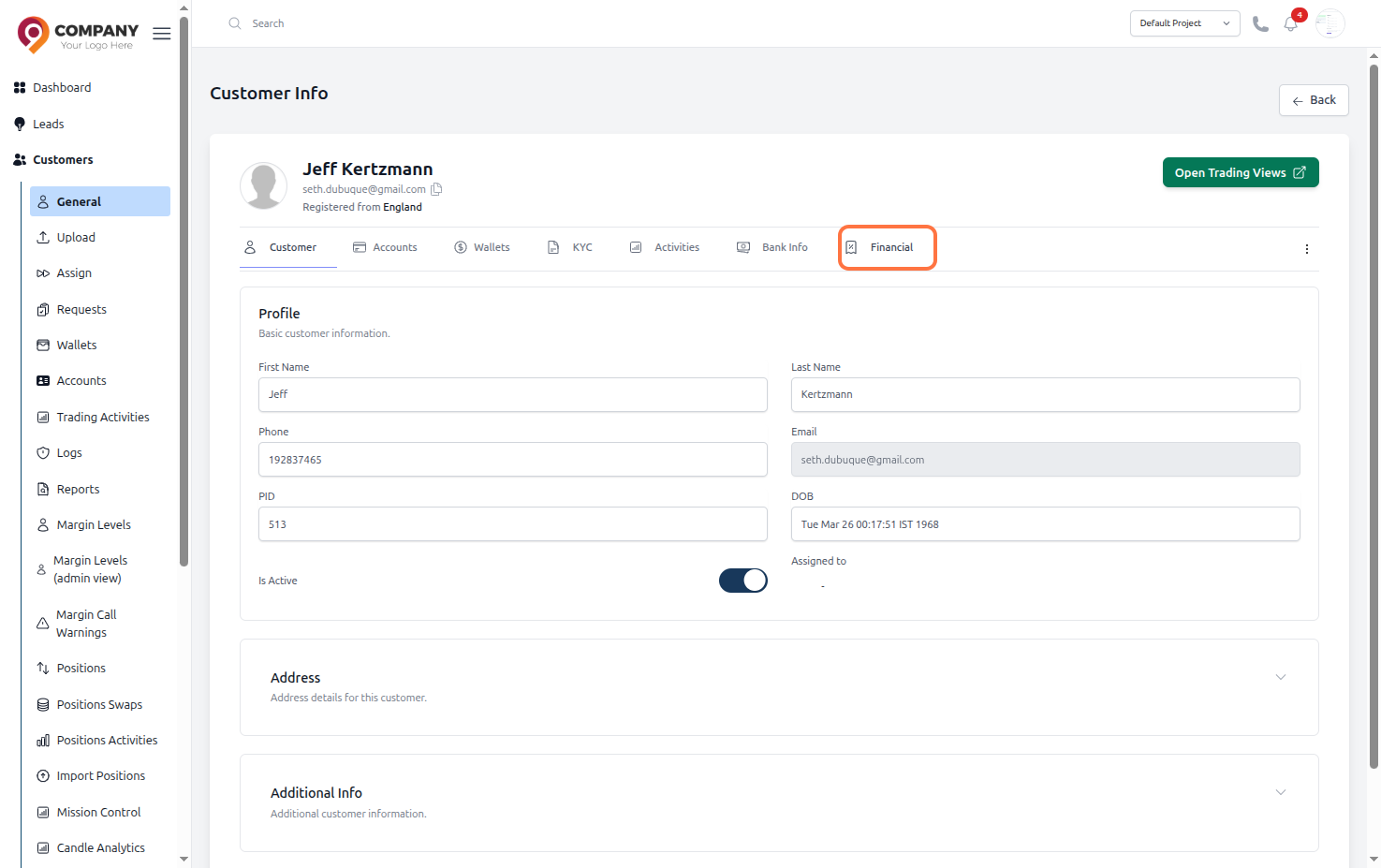
Figure: Deposit Process
- Click "Create Deposit." A new transaction entry form will appear.
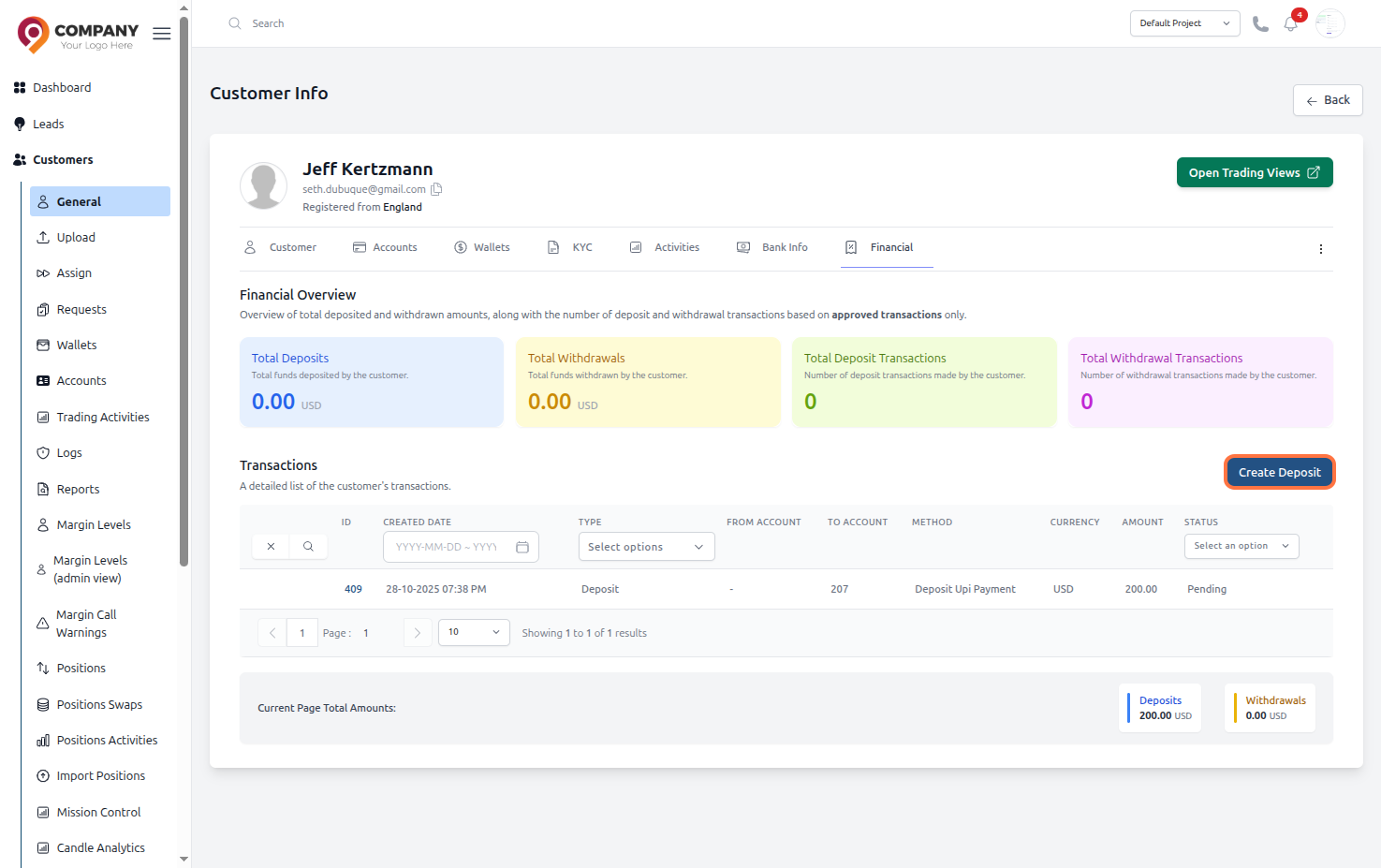
Figure: Deposit Process
- After filling out the form and clicking the submit button deposit Request will be created.
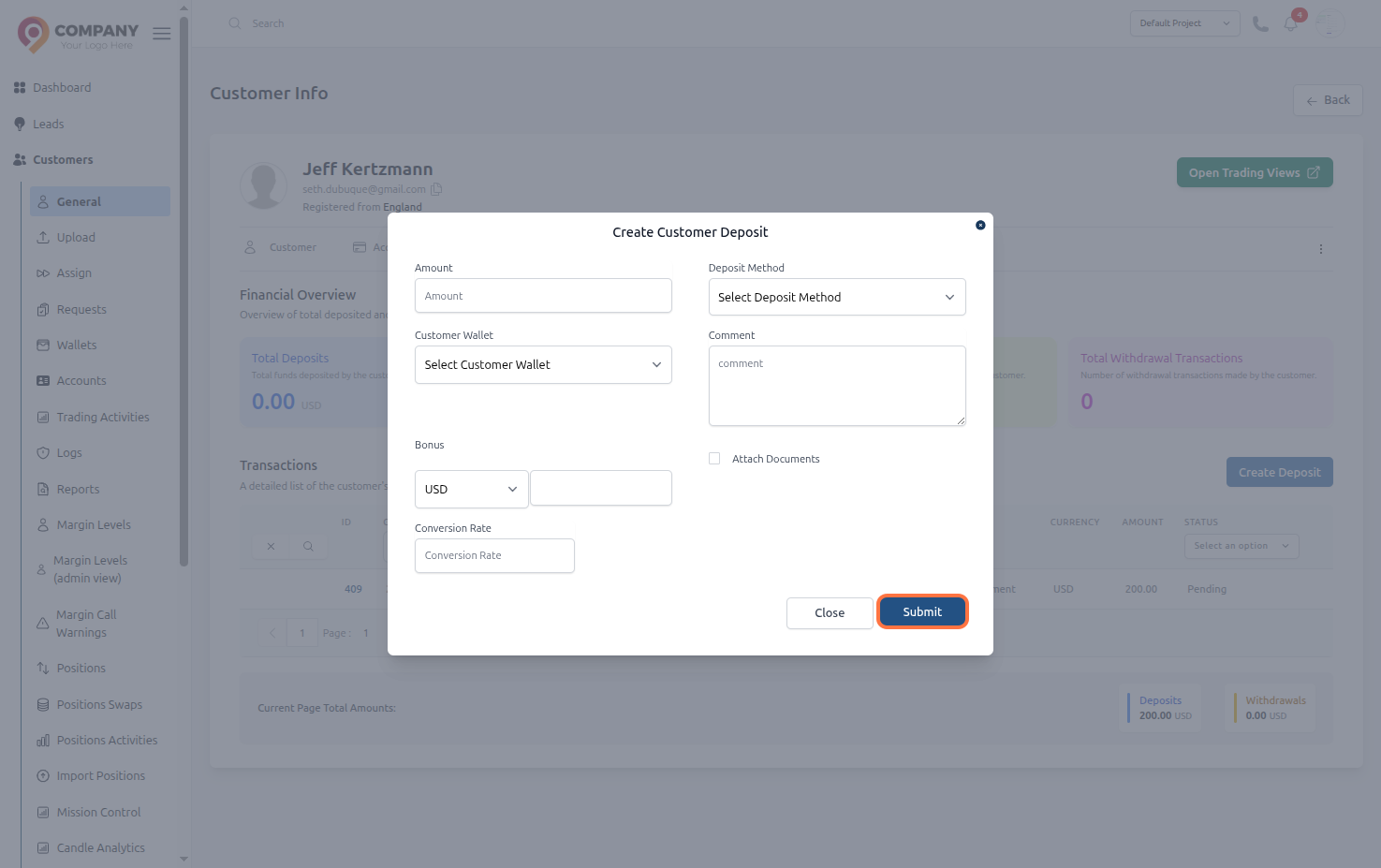
Figure: Deposit Process
- Next should navigate to Customer -> Requests and approve the correct request.
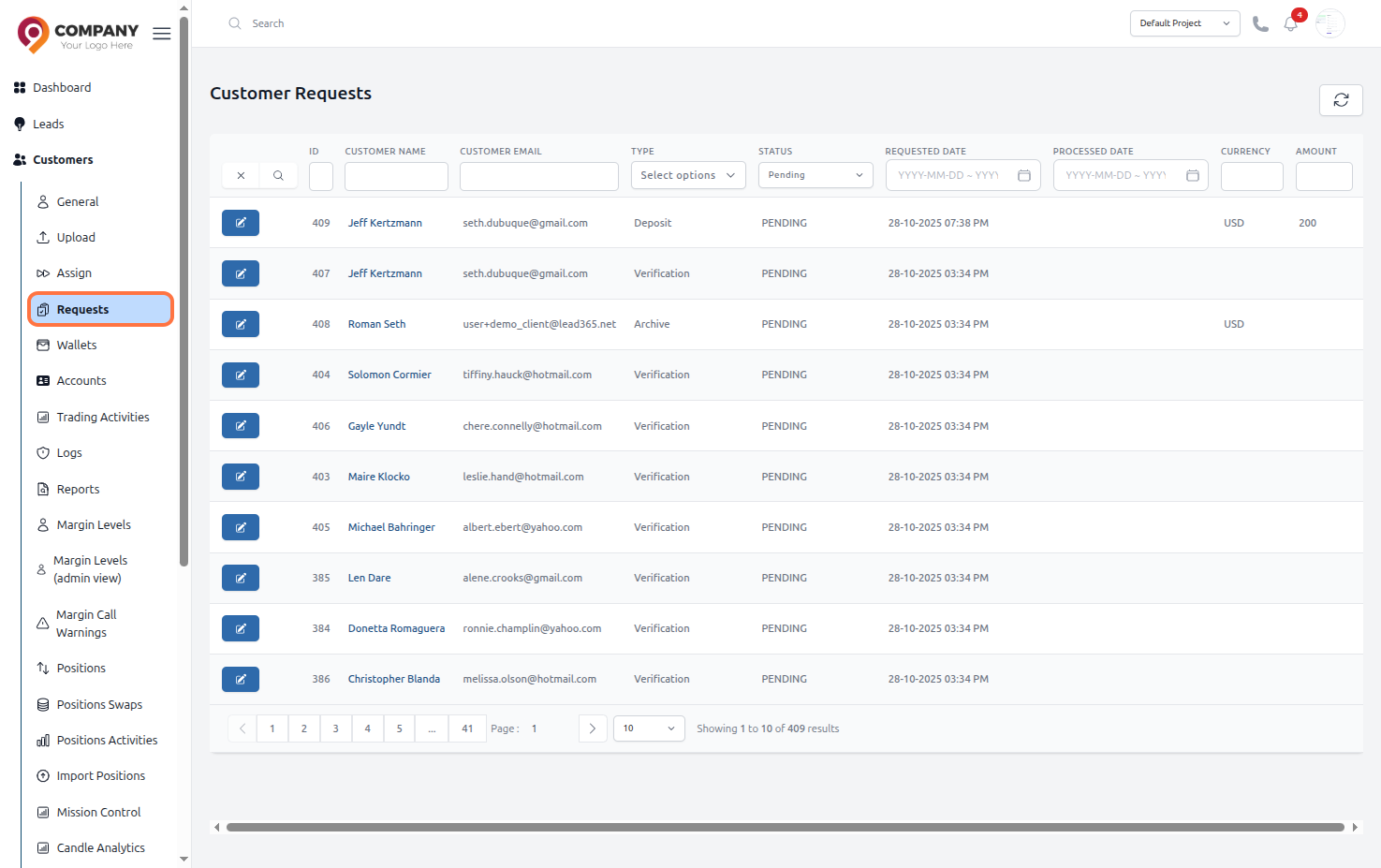
Figure: Deposit Process
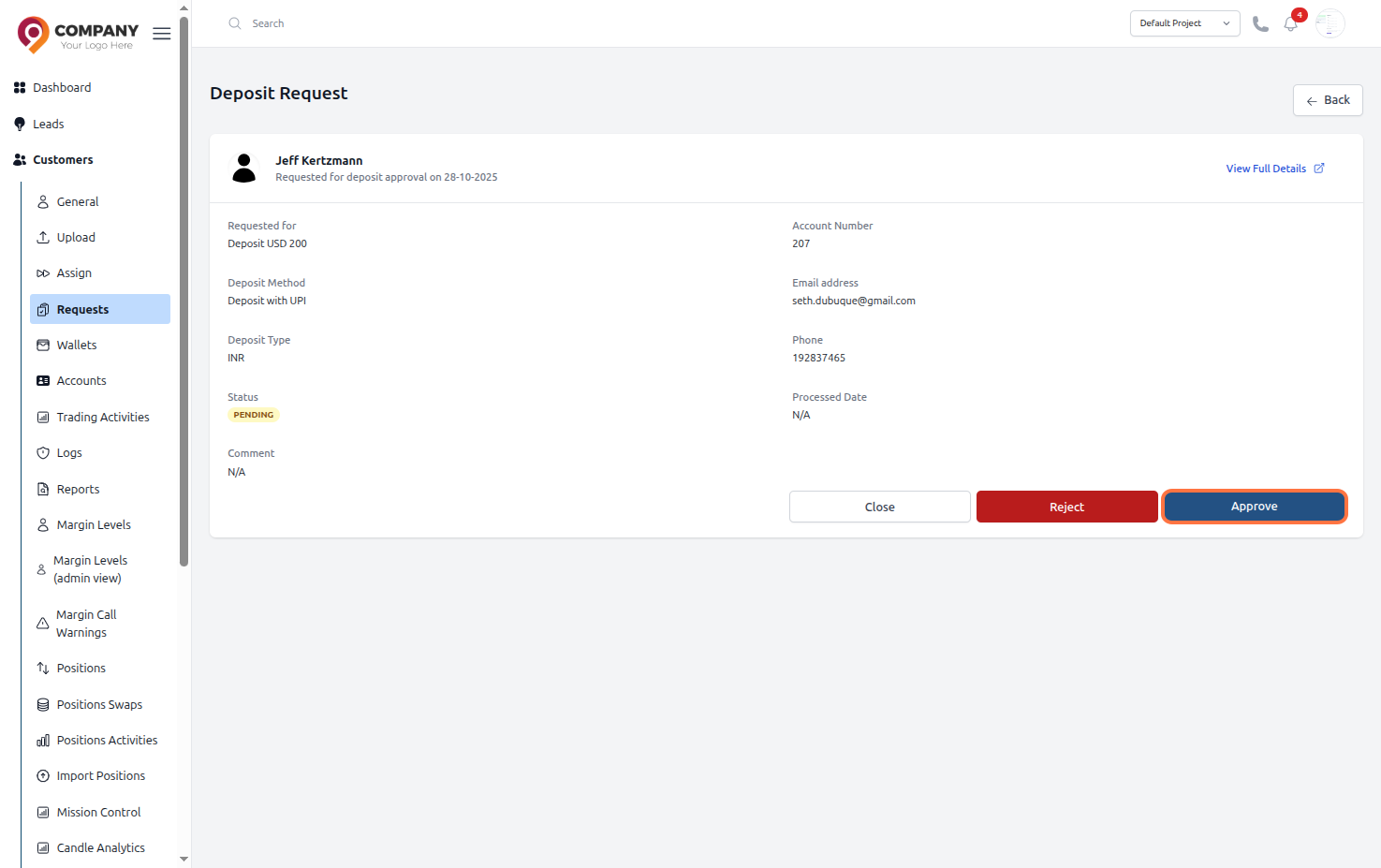
Figure: Deposit Process