Create a Fund Transfer
Applies to: Finance Managers, Administrators
Use the transfer function to move funds between a customer's own wallets or between different customer's own accounts, as required.
Steps to Create a Transfer
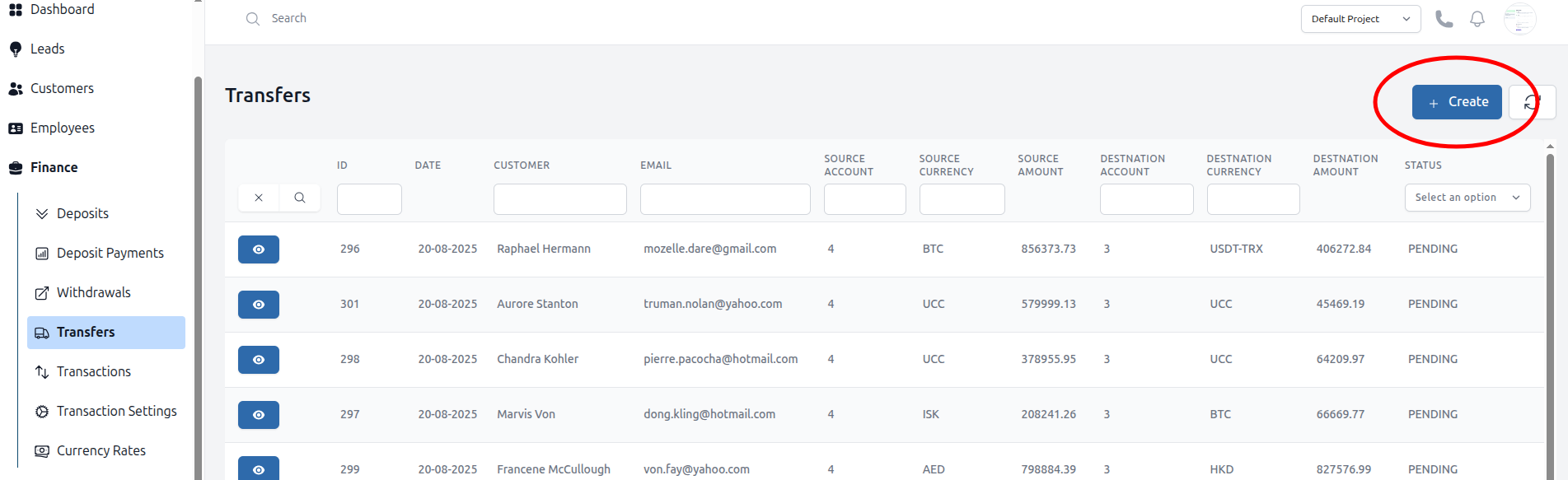
- Navigate to Finance > Transfers.
- Click the Create button.
- Select the Customer: and click the action button.
- Fill in the transfer details:
- From Account Select the source customer and their wallet.
- To Account Select the destination customer and their wallet.
- Amount: Enter the transfer amount.
- Click Submit to execute the transfer.
Important Notes
- Transfers are usually processed instantly.
- Both accounts will see a transaction record for auditability.
- Ensure the destination wallet supports the same currency as the source to avoid conversion issues.