View All Accounts
Applies to: Administrators, Account Managers, Risk Managers
The Accounts page provides a comprehensive overview of all trading accounts in the system with advanced filtering capabilities and direct access to customer investment views.
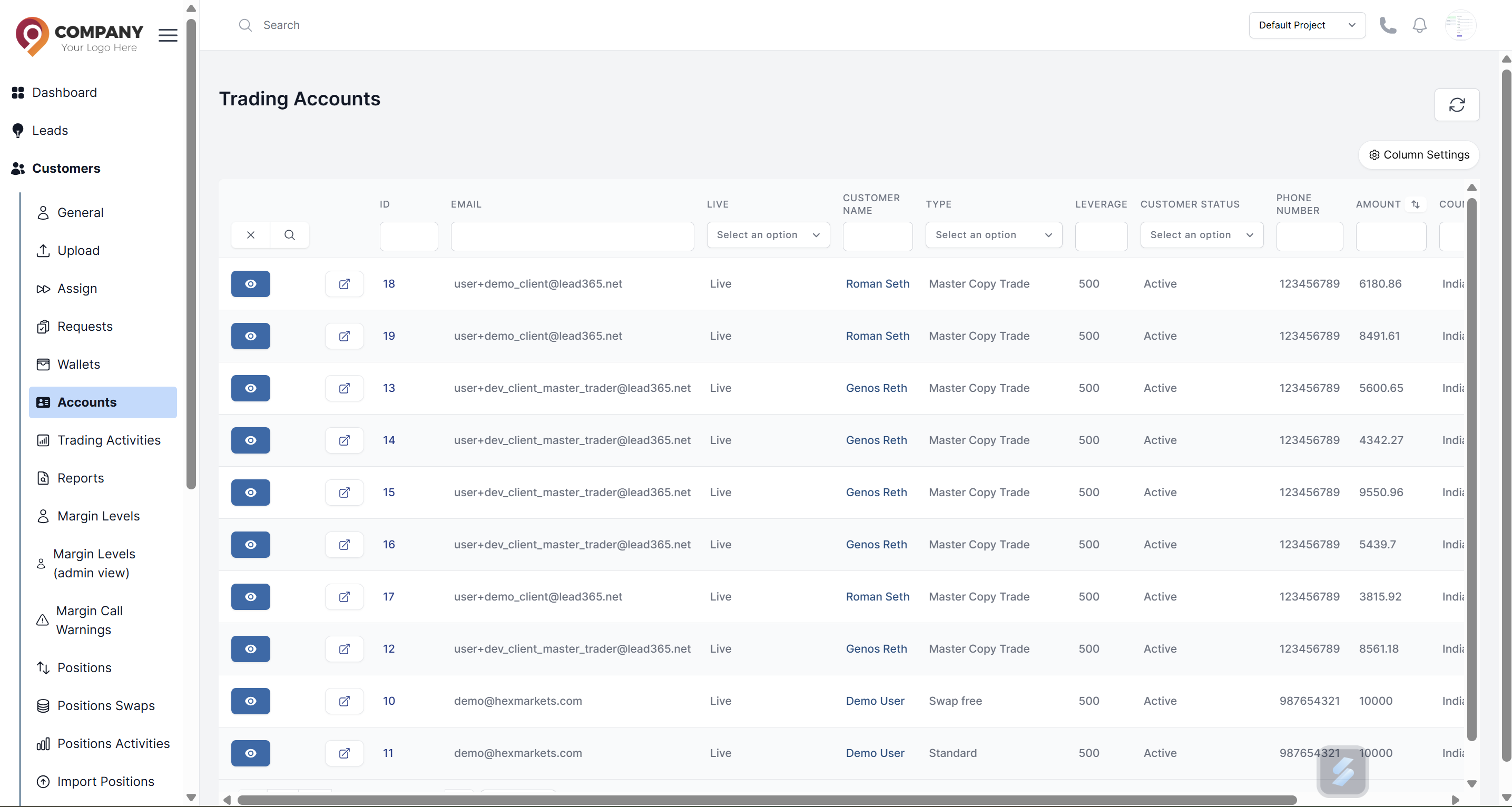
Accessing the Accounts List
- Navigate to Customers → Accounts in the main sidebar
- You will see a complete list of all trading accounts
Understanding the Accounts Table
The table displays detailed information in filterable columns:
- Account Number: Unique trading account identifier
- Customer Name: Account owner's name
- Account Type: Type of account (Standard, VIP, Professional)
- Amount: Current account balance
- Leverage: Account leverage ratio
- Tradable: Account status (enable or disable for trading)
- Customer Status: Customer status (Active, Innactive, Archive)
Using Advanced Filtering
Quick Filter Options
- Customer Status: Show Active, Inactive, or Archive customers' accounts
- Account Type: Filter by specific account types
- Tradable: Filter with account status
Advanced Search
Use the search bar to find accounts by:
- Account number
- Customer name
- Customer email
- Account type
Customer Investing View
Each account row includes an action button that provides:
Trader View Access
Click the action button to access the Customer Investing View which shows:
- Real-time account performance in platform view
- Current open positions, Pending Orders, Closed Positions, Trading Metrix
- Price Chart
- Financial summary statistics