Assign Customers to Employees
Applies to: Administrators, Team Leaders
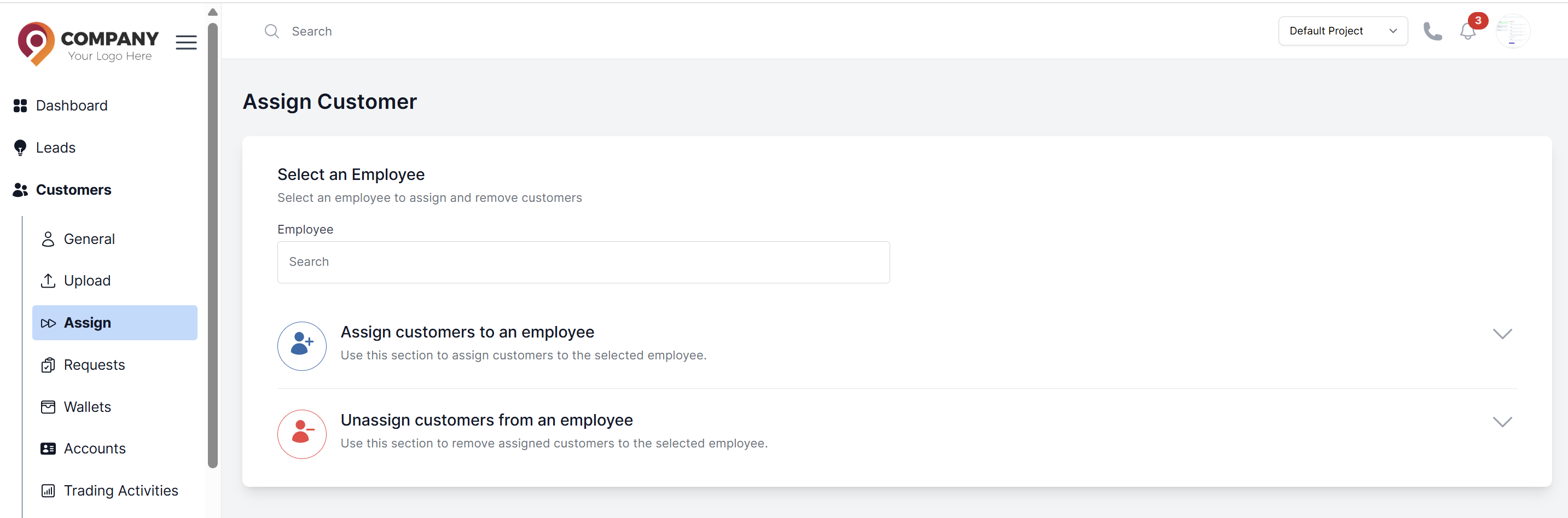
Access Assign Page
- Navigate to Customers > Assign
- Select employee from dropdown
- Choose action:
- Assign customers to an employee
- Unassign customers from an employee
Select Customers
- Check individual customers
- Use Select All for bulk operations
- Assign/Unassign button appears after selection
Complete Assignment
- Click Assign or Unassign button
- System shows confirmation message
- Changes apply immediately