Allow Bot Trading for a Client
Applies to: Administrators, CRM Managers
This guide explains how to enable the Grid Bot Trading functionality for specific customers who want to use automated trading strategies.
Steps to Enable Bot Trading
1. Navigate to Customer Profile
- Go to the CRM section from the main sidebar
- Select the desired customer from the customer list
- Click on the customer to open their detailed profile
2. Enable Bot Trading Functionality
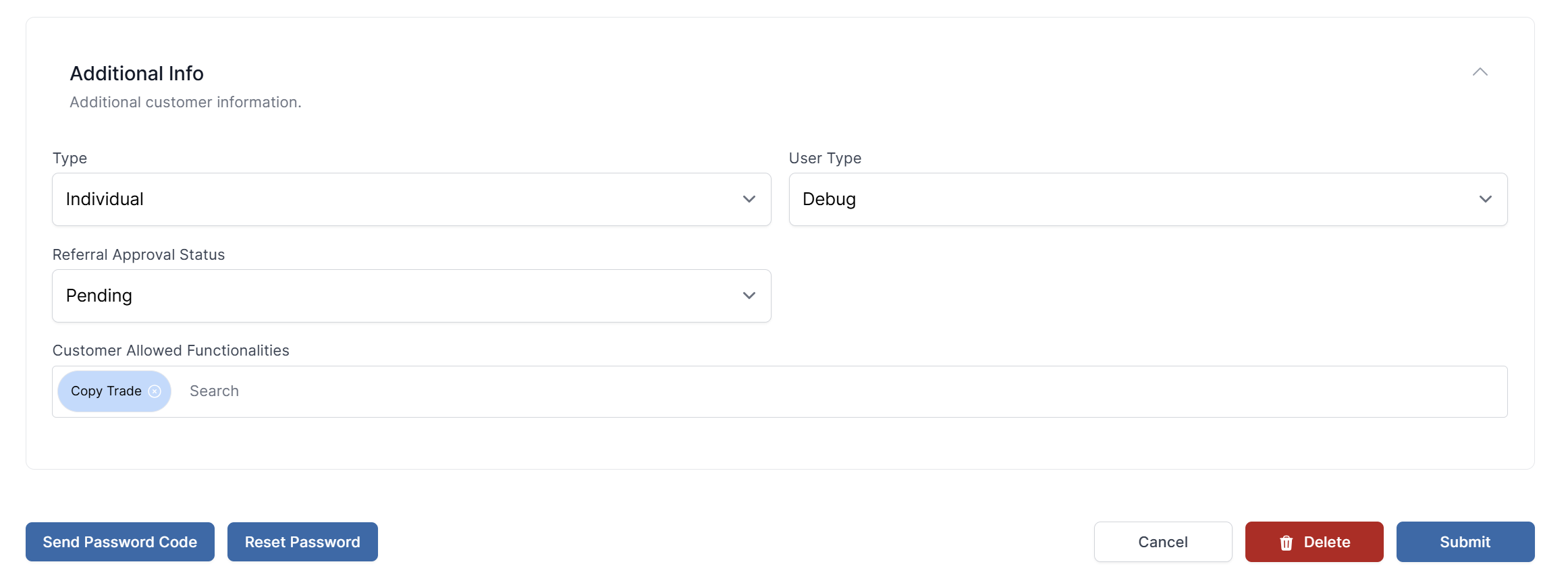
- Locate the field named Customer Allowed Functionalities
- Add
Bot Tradingto the list of allowed functionalities - Save the changes to apply the new settings
Important Considerations
- Experience Assessment: Enable for customers with understanding of automated trading risks
- Risk Management: Consider the customer's risk tolerance before enabling
- Account Requirements: Ensure customer has sufficient balance for bot trading
- Monitoring: Regularly review customers using bot trading features
Verification
After enabling:
- The customer will see the Bot Trading tab in their Trading Platform
- They can create and manage grid trading bots
- Real-time monitoring becomes available for administrators