Create a Grid Bot
Applies to: Traders with Bot Trading access
This guide provides step-by-step instructions for creating and activating Grid Trading Bots in the trading platform.
Prerequisites
Before You Start
- ✅ Bot Trading Enabled: Feature must be activated for your account
- ✅ Sufficient Balance: Adequate available trading capital
- ✅ Market Understanding: Knowledge of grid trading strategies
- ✅ Risk Assessment: Understanding of potential risks involved
Steps to Create a Grid Bot
1. Select Trading Instrument
- Log in to your Trading Platform
- Choose the financial instrument you want to trade
- Consider liquidity, volatility, and trading hours
- Verify spread and commission costs
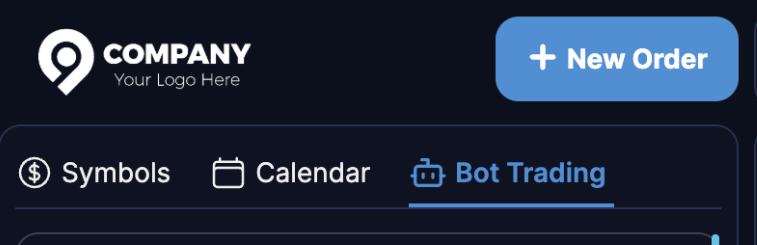
2. Access Bot Trading Section
- Click the Bot Trading tab from the main navigation
- You will see the Grid Bot creation interface
3. Configure Price Range
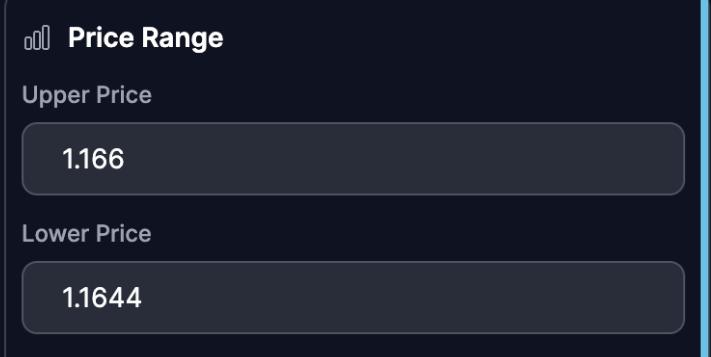
Set Upper Price
- Enter the Upper Price (top of trading range)
- Based on technical resistance levels
- Consider recent price highs and volatility
Set Lower Price
- Enter the Lower Price (bottom of trading range)
- Based on technical support levels
- Consider recent price lows and safety margins
4. Grid Configuration
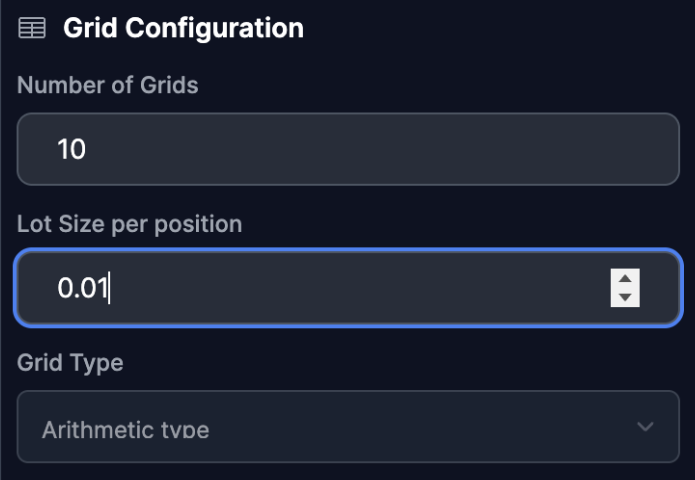
Choose Number of Grids
- Select the Number of Grids (5-20 recommended for starters)
- More grids = more frequent trades but higher capital requirement
- Fewer grids = larger price movements between trades
Set Lot Size
- Enter Lot Size for Position
- Consider your account size and risk tolerance
- Ensure sufficient margin for all potential positions
Select Grid Type
- Choose between Arithmetic or Geometric grid
- Arithmetic: Equal price intervals (stable markets)
- Geometric: Equal price ratio intervals (volatile markets)
5. Investment Settings
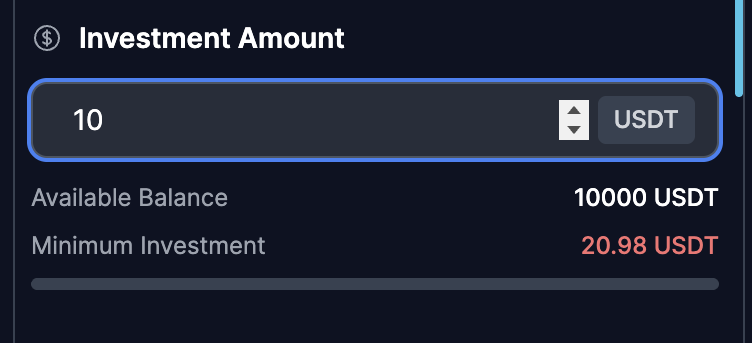
Enter Investment Amount
- Specify the Investment Amount
- The system shows Available Balance
- Note the Minimum Investment requirement may vary
6. Activate the Grid Bot
- Click Create Grid Trading Bot
- Confirm activation when prompted
- The bot will immediately begin operation
Post-Activation Process
Visual Confirmation
- Grid Display: Price levels shown on the trading chart
- Order Placement: Limit orders appear at grid levels
Initial Operations
- Order Execution: First orders placed immediately
- Position Management: Bot manages open positions automatically
- Performance Tracking: Real-time P/L calculation begins
Chart Indicators
- Grid Lines: Visual representation of price levels
- Buy Zones: Areas where buy orders are placed
- Sell Zones: Areas where sell orders are placed
- Current Price: Real-time market price indicator
Multiple Bot Strategy
Concurrent Bots
- Create multiple bots in same account
- Use different parameters and timeframes
- Diversify trading strategies
- Manage overall exposure across bots
Important Notes
Risk Considerations
- Market can break out of price range unexpectedly
- Sudvolatility can trigger multiple positions quickly
- Overnight and weekend gaps can affect strategy
- Monitor overall exposure regularly
Performance Factors
- Grid density affects trade frequency
- Price range width impacts profit potential
- Lot size determines risk per trade
- Market volatility affects strategy effectiveness