Account Details View
Applies to: Administrators, Account Managers, Finance Team
The Account Details view provides a complete overview of a specific trading account, including financial summary, positions, and management options.
Accessing Account Details
- Navigate to Customers → Accounts
- Find the desired account in the list
- Click the Action Button (👁️ icon) in the account row
- The default view shows the Accounts tab with financial summary
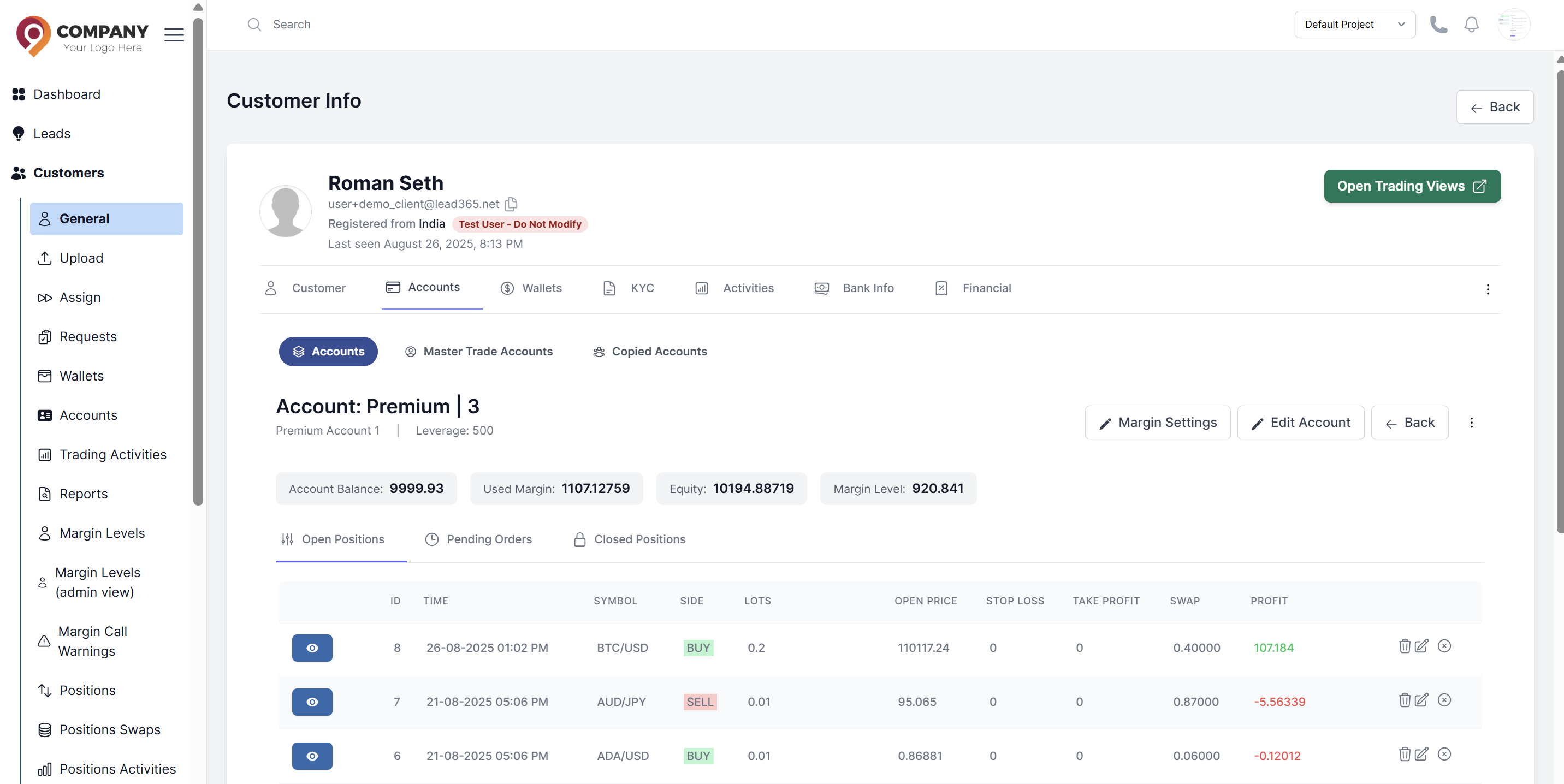
Financial Summary Section
The default view displays key financial metrics:
Account Information
- Account Number: Unique identifier
- Account Alias: Client use name
- Leverage: Current leverage ratio
Financial Metrics
- Balance: Current account balance
- Equity: Real-time equity value
- Margin: Used margin amount
- Margin Level: Risk percentage indicator
Margin Settings Tab
- Configure risk management parameters
- Set margin call and stop out levels
- Adjust account-specific margin requirements
- Learn more about Margin Settings
Edit Account Tab
- Modify account properties and settings
- Adjust balance and bonus amounts
- Change trading permissions and leverage
- Learn more about Edit Account
Position Management Section
Below the financial summary, access three sub-tabs for position management:
Open Positions (Default View)
- List of all current open positions
- Real-time profit/loss
- Options to close, modify, or delete positions
- Learn more about Open Positions
Pending Orders
- All pending orders waiting execution
- Order details and activation conditions
- Learn more about Pending Orders
Closed Positions
- Historical position data
- Complete trade history with statistics
- Option to reopen closed positions
- Learn more about Closed Positions
Quick Actions
From the account details view, you can quickly:
- Deposit/Withdraw: Add or remove funds
- Change Leverage: Adjust account leverage
- Update Status: Activate/deactivate account
- Send Message: Communicate with account owner
- View History: Access complete audit trail