Create a Deposit
Applies to: Finance Managers, Administrators
Use this function to manually add funds to a customer's wallet, such as for bonus allocation, balance correction, or manual payment processing.
Steps to Create a Deposit
-
Navigate to Finance > Deposits.
-
Click the Create button.
-
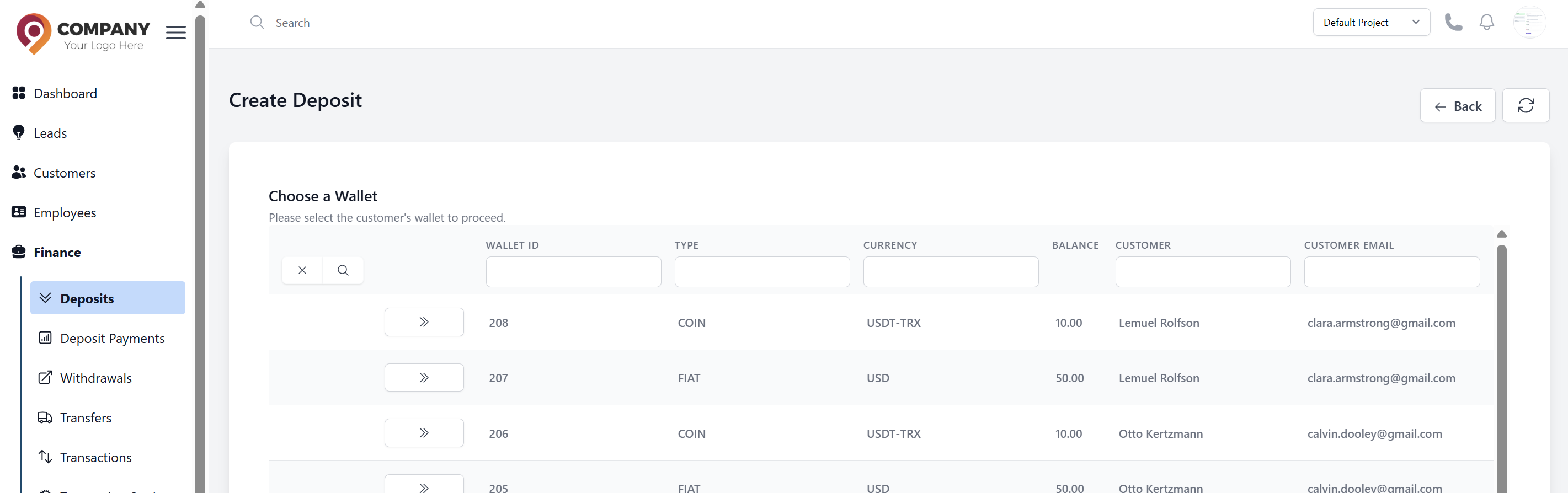
Select the Customer: with the desired Wallet from the table and click the action button.
-
Fill in the deposit details:
- Deposit Method: Select the deposit method.
- Amount: Enter the deposit amount.
-
Click Deposit to create the deposit request.
Important Notes
- Deposits are typically processed instantly and added to the customer's balance immediately.
- The transaction will be recorded in the system audit trail.
- Verify the customer's identity and wallet information before processing.
Common Use Cases
- Manual Payment Processing: Handling offline payment methods
- Compensation: Providing refunds or compensation for issues
- Balance Correction: Fixing accounting errors or discrepancies
Status Tracking
After creation, you can track the withdrawal status:
- Pending: Waiting for approval or processing
- Completed: Successfully processed
- Rejected: Cancelled or failed