Set Up KYC Stages
Applies to: Compliance Officers, Administrators
Onboard Stages allow you to create a structured verification process, controlling what actions customers can perform at each level (e.g., trade, deposit, withdraw).
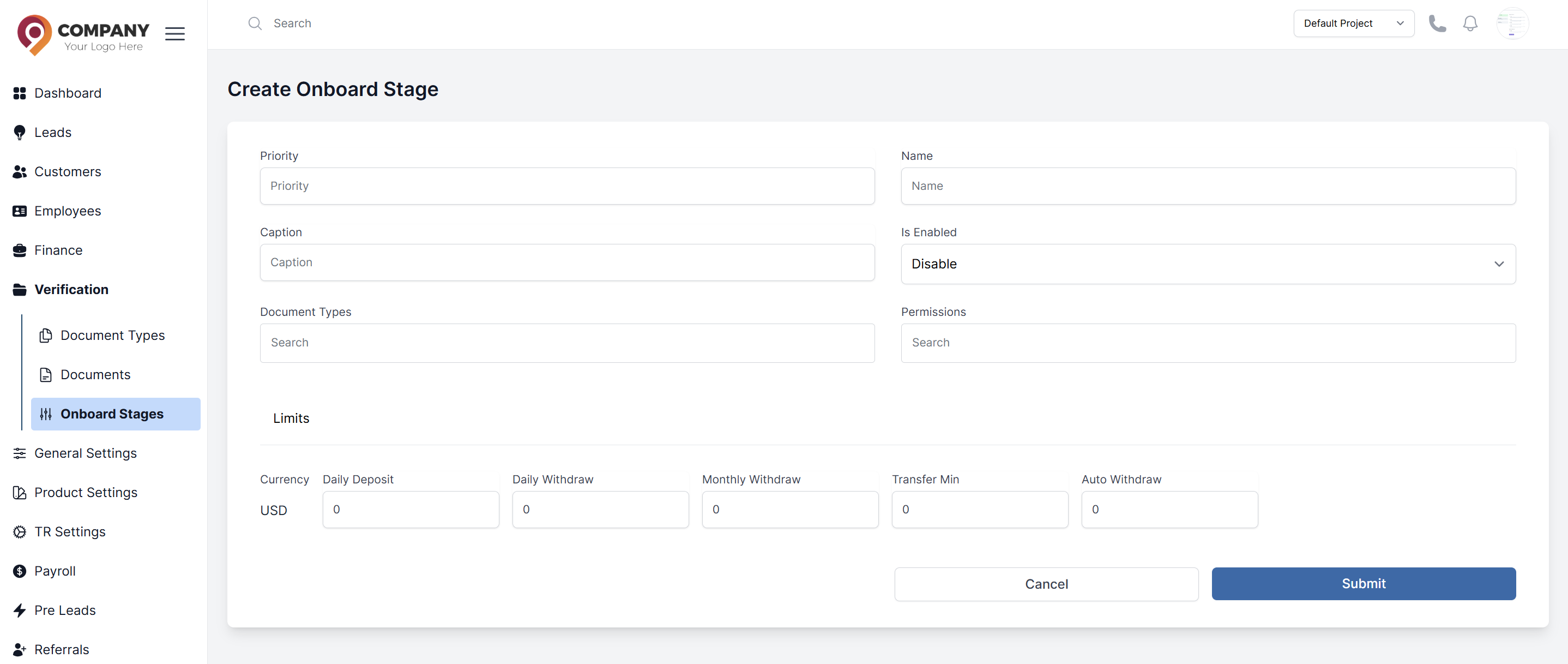
Create a New Onboard Stage
- Navigate to Verification > Onboard Stages.
- Click the Create Onboard Stage button.
- Configure the stage:
- Name: Give the stage a clear name (e.g., "Level 1 - Identity Verified").
- Description: Explain what this stage means for the customer.
- Permissions: This is the most important part. Select the permissions granted at this stage
- You can also set limits (e.g., max withdrawal amount per day).
- Click Submit. The new stage is now available to assign to customers.
Managing the KYC Flow
- A customer progresses to the next stage by submitting and having their documents approved in the Documents section.
- You can manually override a customer's stage from their profile if needed for special cases.