View P&L and Daily Trading Reports
Applies to: Administrators, Financial Analysts, Risk Managers
The P&L (Profit and Loss) reports provide a daily summary of trading activity, financial flows, and client performance across the platform.
Accessing the Reports
- Navigate to Customers > PNL.
- You will often find a date picker to select a specific day or range.
Understanding the Report Data
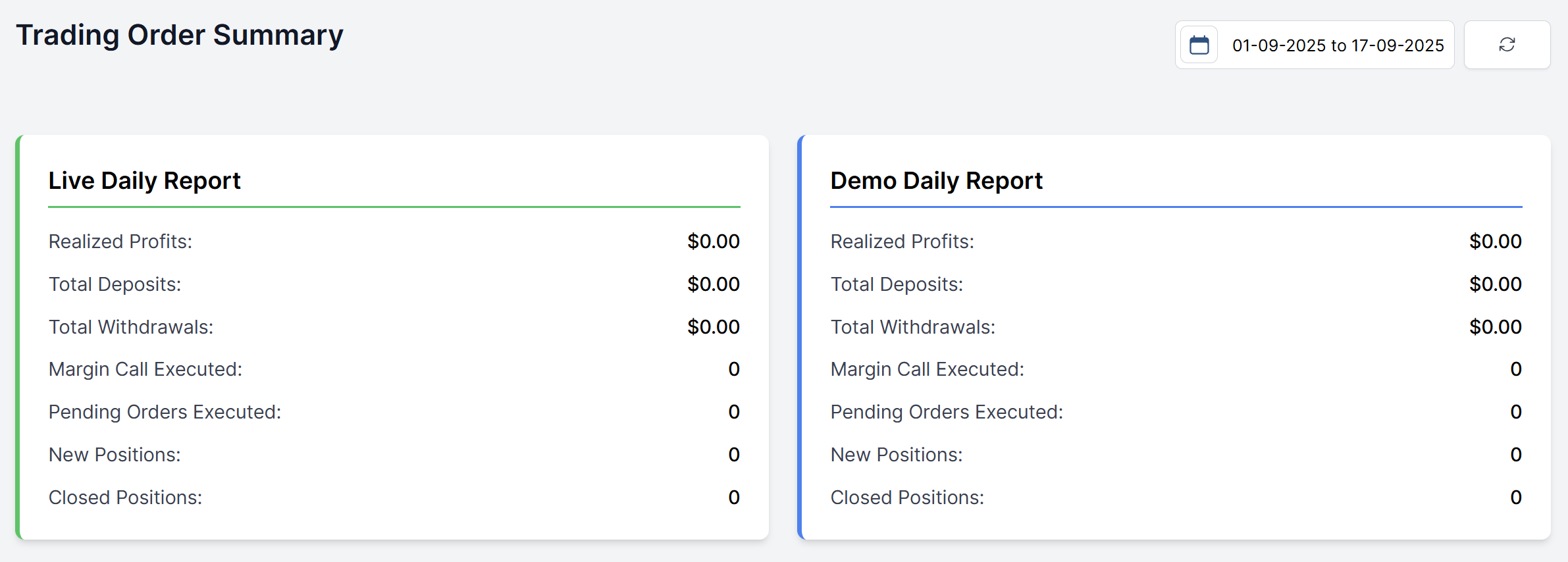
The report is typically split between Live Accounts and Demo Accounts. Key metrics include:
- Realized Profit/Loss: The total net profit or loss from closed positions for the day.
- Total Deposits: The sum of all successful deposits.
- Total Withdrawals: The sum of all successful withdrawals.
- Margin Call Executed: The count of margin call events executed.
- Pending Orders Executed: The count of pending orders (limit orders, stop orders) that were triggered and executed.
- New Positions: The number of fresh trading positions opened during the selected timeframe.
- Closed Positions: The number of trading positions that were closed during the period.
Account Type Comparison:
- Live Daily Report: Shows real money trading activity and performance
- Demo Daily Report: Displays practice account trading metrics for comparison and analysis
Using the Data
- Performance Analysis: Compare live vs. demo account performance to identify training effectiveness and assess overall platform profitability trends.
- Risk Management: Monitor margin call frequency to assess client risk exposure and identify customers requiring additional education or leverage adjustments.
- Operational Insights: High margin call numbers may indicate need for enhanced risk education or suggest periods of high market volatility affecting client positions.
- Financial Planning: Use deposit/withdrawal trends to manage company liquidity and forecast revenue from trading activity levels.