Manage Wallet Types
Applies to: Administrators
Wallet Types define the behavior and rules for different kinds of wallets a customer can have.
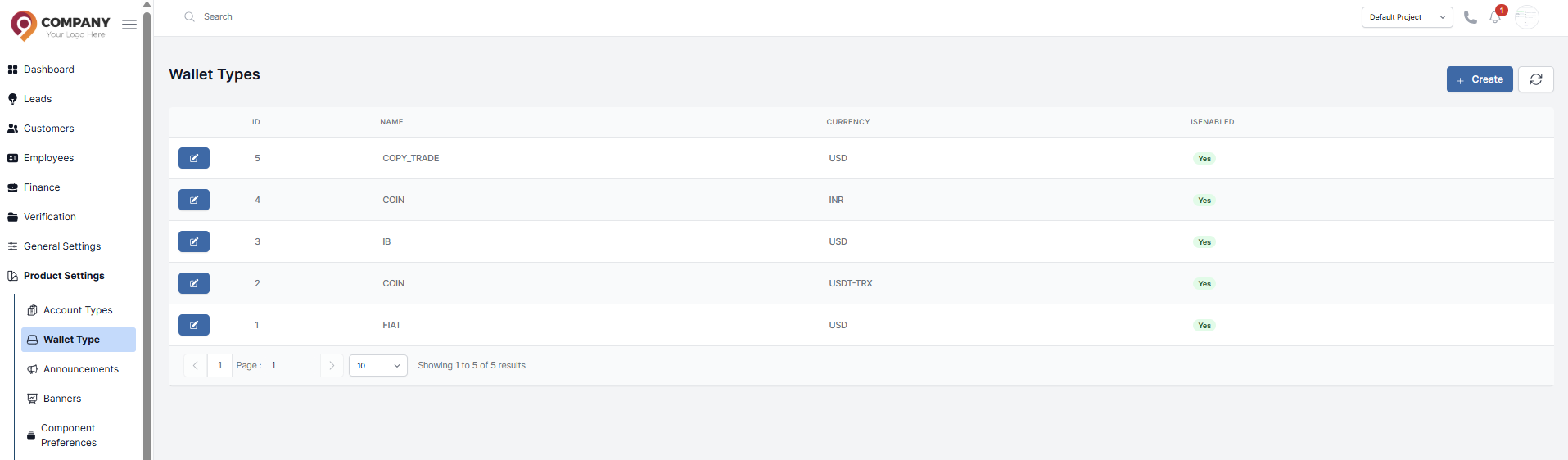
View and Edit Wallet Types
- Navigate to Product Settings > Wallet Types.
- You will see a list of predefined types.
- Click action button to edit.
Creating a New Wallet Type
-
Click Create.
-
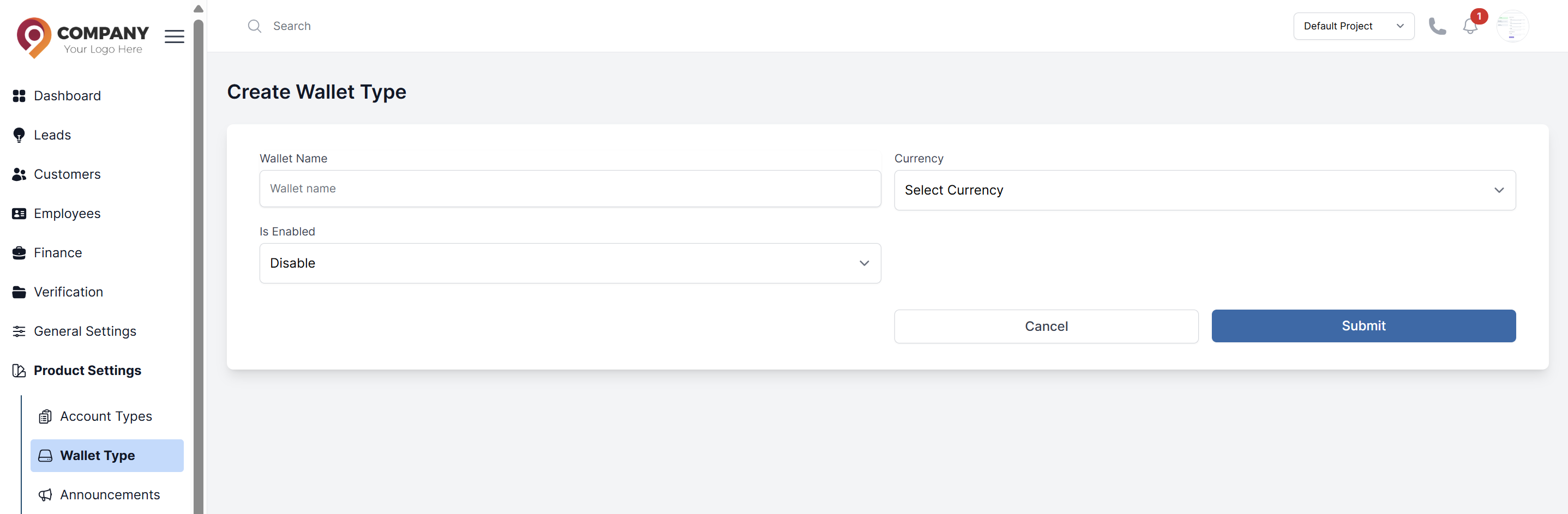
Fill in the form:
- Wallet Name: A unique identifier.
- Currency: Select the specific currency this wallet will handle.
- Is Enable Choose "Yes" to activate the wallet for transactions, or "No" to deactivate it.
-
Click Submit.