Enable Copy Trading for a Client
Agents can grant or revoke a client's permission to use the Copy Trading feature from the CRM.
Steps to Enable/Disable
- Navigate to CRM.
- Find and select the desired customer from the list.
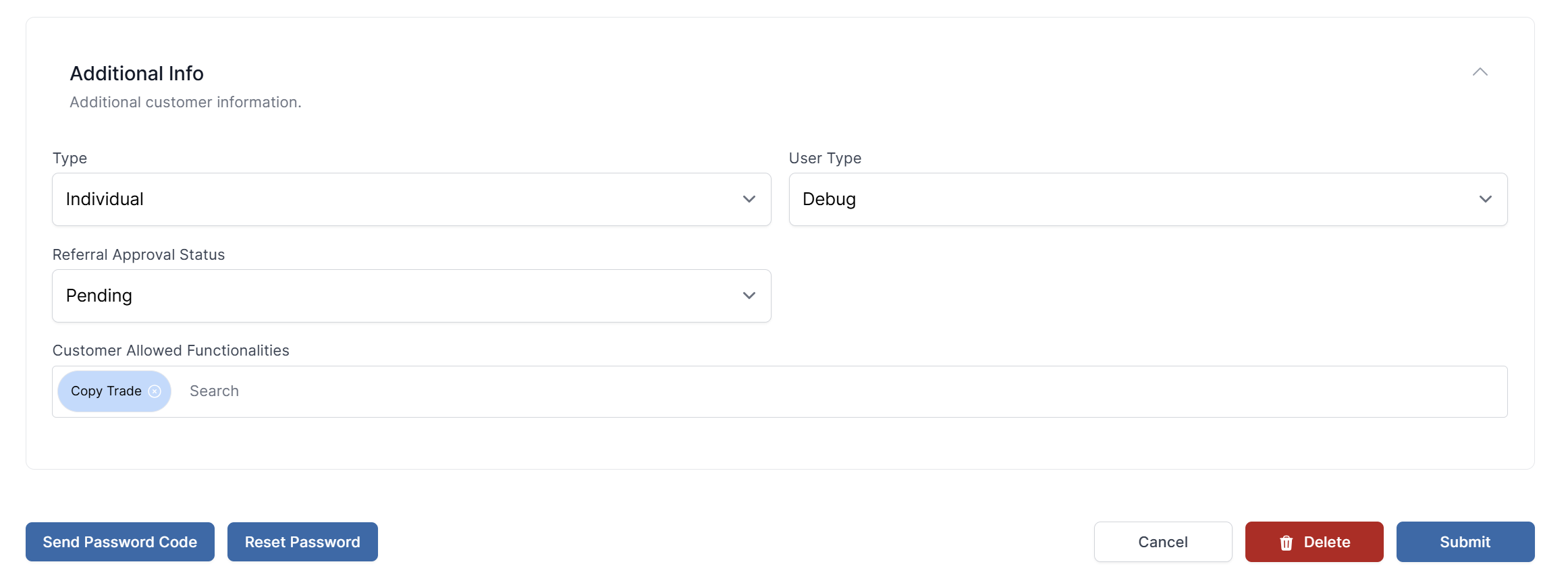
- Go to the Additional Info section of the client's profile.
- Locate the input field named Customer Allowed Functionalities.
- Add or remove the
Copy Tradefunction from this field. - Submit the changes.
The client's access to the Copy Trading module in the Client Portal will be updated immediately.
How do I disable Copy Trading for a client?
Follow the same steps as above, but remove the copy_trade function from the Customer Allowed Functionalities field.