Manage Resolution Types
Applies to: Administrators
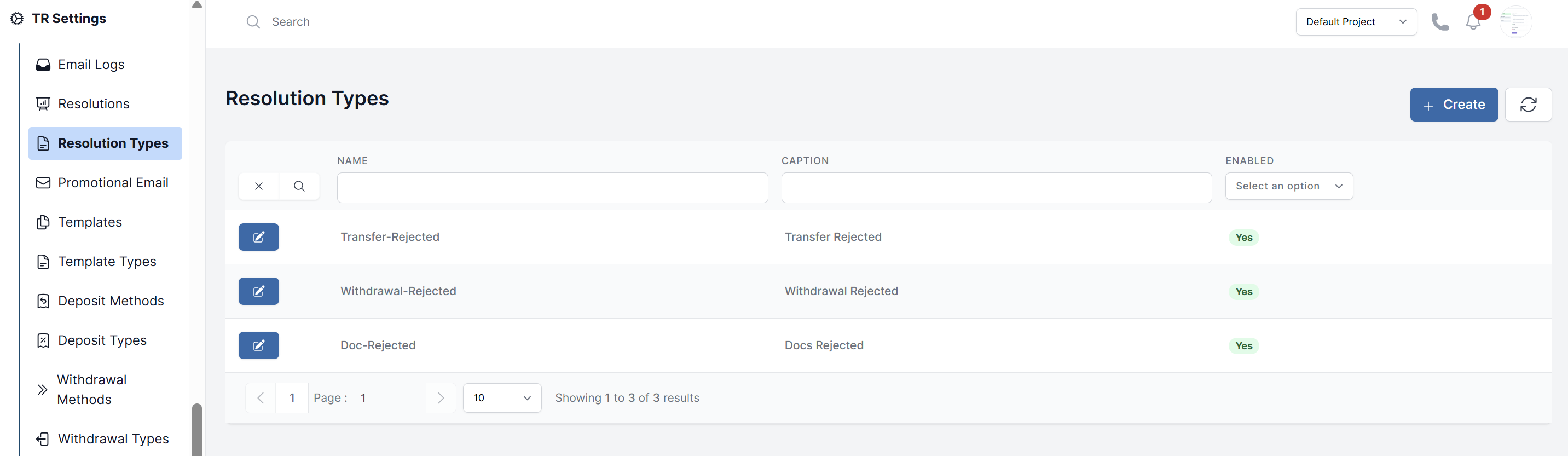
Resolution Types are categories used to organize your library of rejection reasons. They ensure a reason for rejecting a KYC document isn't accidentally used for rejecting a withdrawal.
Create a Resolution Type
- Navigate to TR Settings > Resolutions Type.
- Click the Create button.
- Enter a clear name that describes the category of request, for example:
KYC Document RejectionWithdrawal Request RejectionDeposit Request RejectionTransfer Request Rejection
- Click Submit.
How Resolution Types Are Used
When you Create a Rejection Reason, you must assign it to one of these Types. This links the reason to a specific kind of action in the system.
This structure keeps your rejection reasons organized and prevents them from appearing in the wrong context (e.g., a KYC-related reason will only be available when rejecting a document, not a withdrawal).