Referral Clients and Programs
Applies to: Administrators, Sales Managers
The referral system allows you to reward clients for bringing new business to the platform.
1. Viewing All Referral Clients
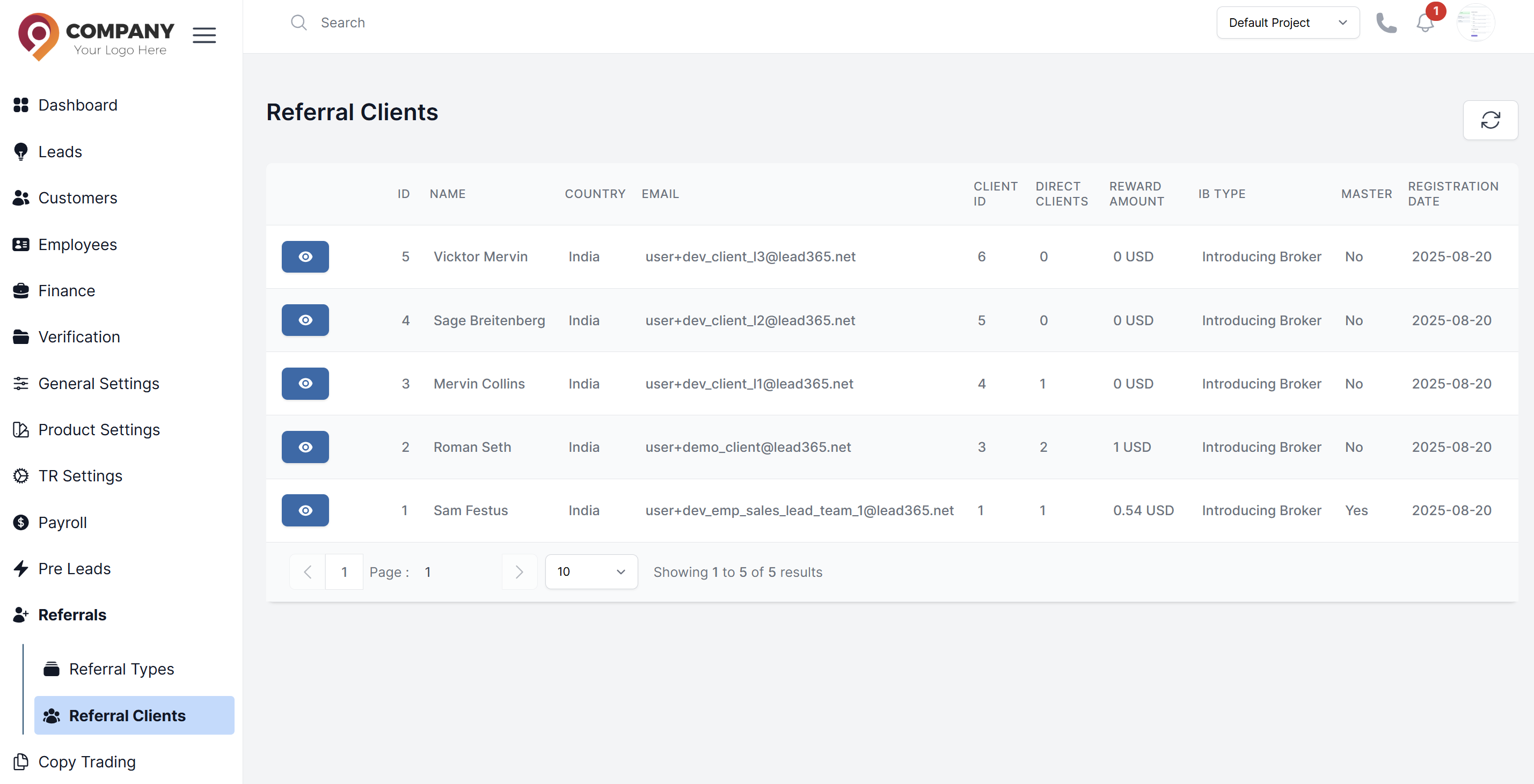
- Navigate to Referral Clients: Go to Referrals > Referral Clients in the sidebar
- Client List: View all referral clients with details
2. Managing Individual Referral Clients
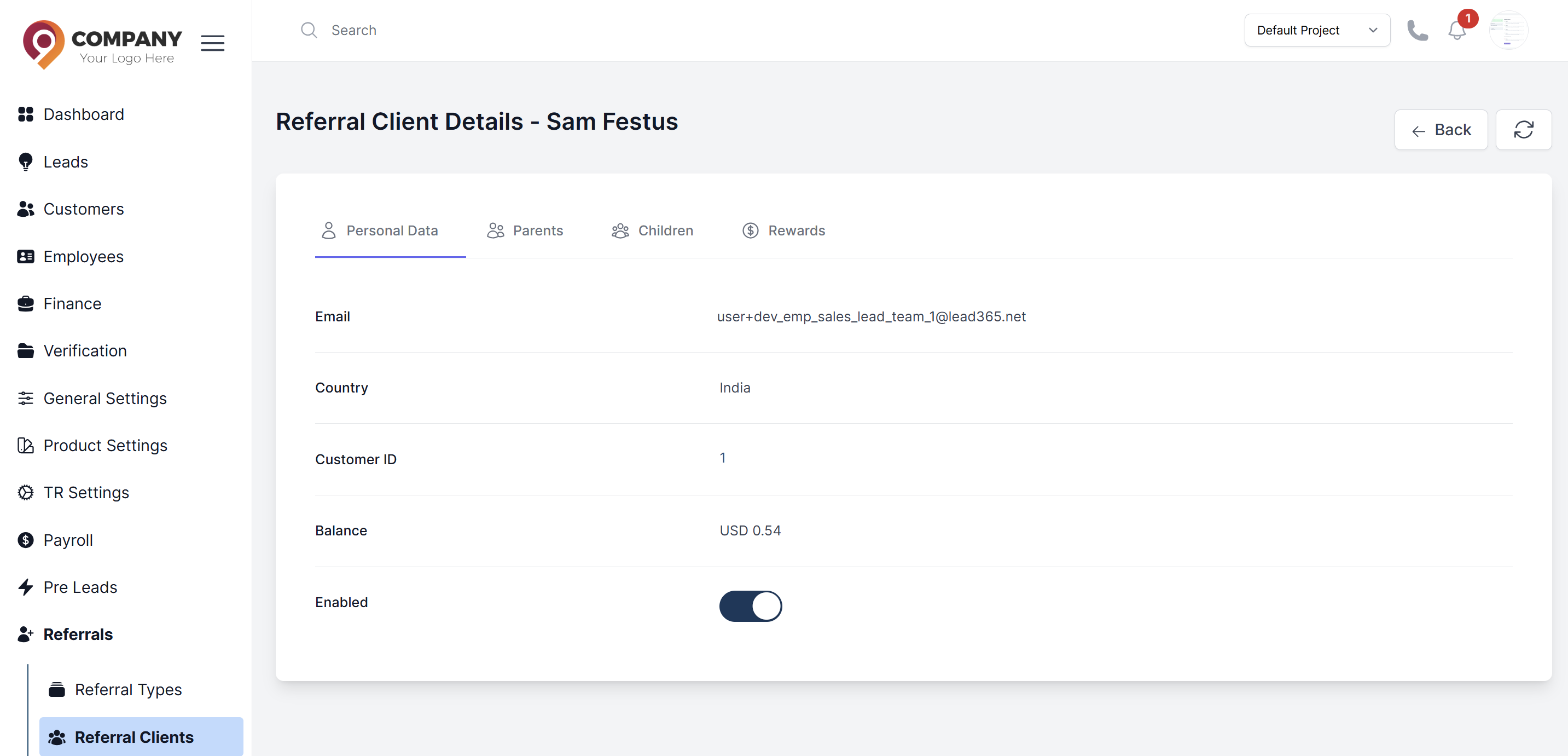
- View Client Details: Click on any client from the list to open their details page
Client Information Tabs:
-
Personal Data: View email, country, Customer ID, Balance, and Enabled status
-
Parents: View parent referral relationships and levels
-
Children: View child referral relationships
-
Rewards: View reward information
-
Enable/Disable Referral Clients
- Toggle Status: Use the Enabled toggle switch to enable or disable the referral client
- Status Effect: Disabled clients cannot participate in referral activities
Parent-Child Referral Structure
Understanding Referral Hierarchy
- Parent Clients: Higher-level referrers in the hierarchy
- Child Clients: Clients referred by parent clients
- Multi-Level Structure: Shows LEVEL (1, 2, etc.) indicating referral depth
Managing Parent Relationships
- View Parents: Click the Parents tab in client details
- Parent Information: See parent client's NAME, COUNTRY, EMAIL, and CLIENT ID
- Level System: View the referral level (Level 1 = direct parent, Level 2 = grandparent, etc.)
Managing Child Relationships
- View Children: Click the Children tab in client details
- Child Management: View all clients referred by this client
- Child Operations: Create new referral relationships or remove existing ones
Best Practices
- Regular Monitoring: Check DIRECT CLIENTS and REWARD AMOUNT columns regularly
- Status Management: Use the Enabled toggle to control active referral participants
- Hierarchy Tracking: Monitor the LEVEL system to understand referral depth
- Balance Verification: Review client Balance information for accurate reward tracking