Platform Information Configuration
Applies to: Project Managers, System Administrators
Configure your trading platform's core settings, appearance, and communication details to create a consistent brand experience for your traders.
Access Platform Configuration
- Navigate to General Settings > Projects
- Select your project and click the Action Button
- Go to the Configurations tab
- Choose between two configuration sections:
1. Trader Configuration
Configure fundamental trading settings and user experience options.
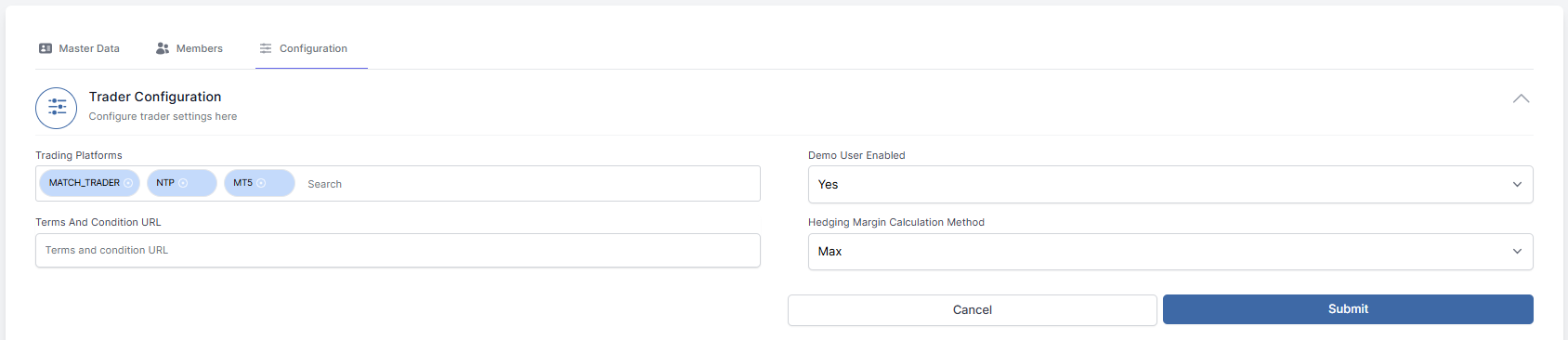
Trading Platform Selection
- Platform: Select your trading platform from available options
- Demo Users: Enable or disable demo account creation
- Terms & Conditions: Add your legal terms URL
- Margin Calculation: Choose margin calculation method
Save Changes: Click Submit to apply trader configuration settings.
2. Trading Platform Information
Customize your platform's branding and technical details.
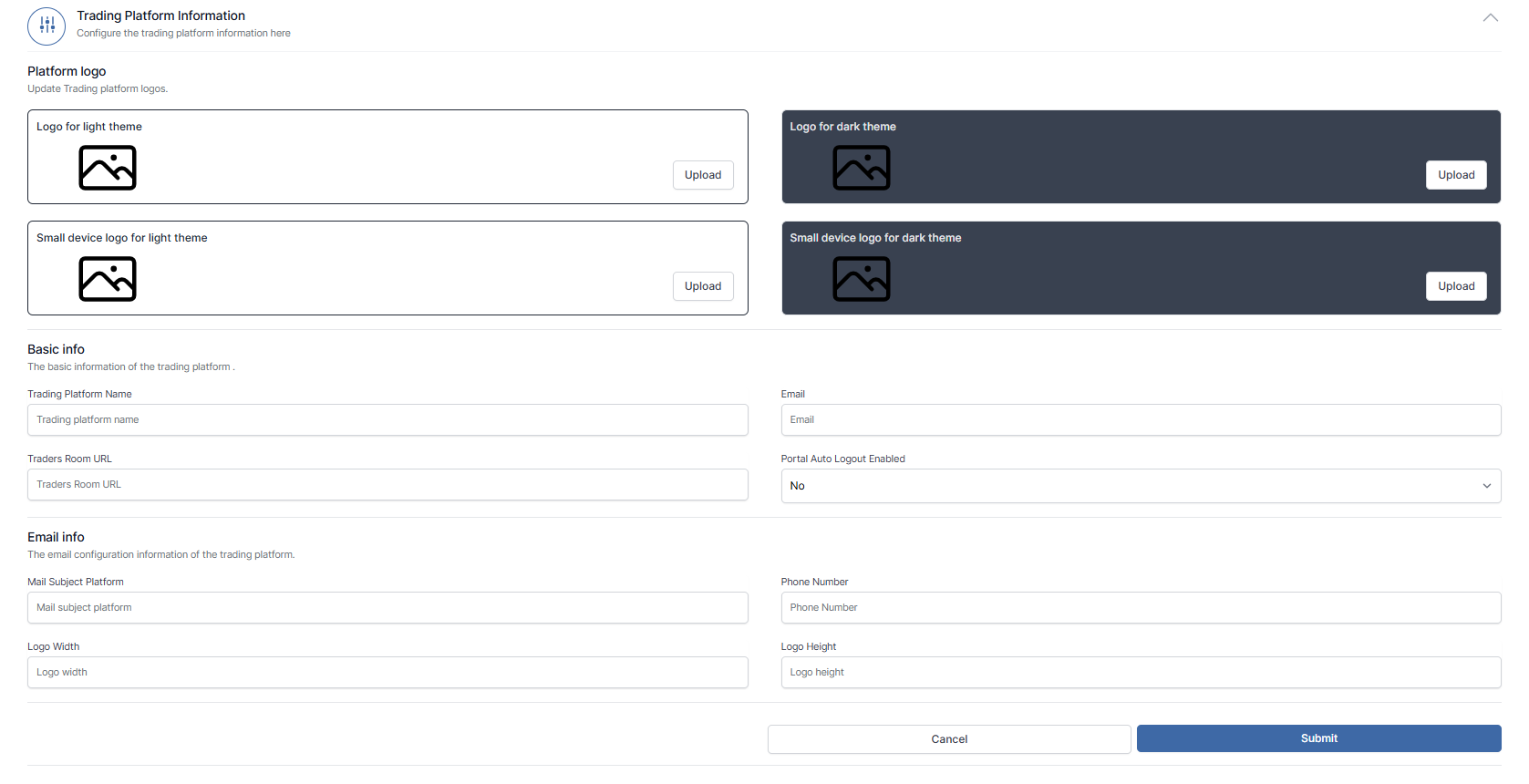
Platform Logo Management
Upload four logo variants for different display scenarios:
- Logo for light theme: Standard platform logo
- Logo for dark theme: Optimized for dark mode interfaces
- Small device logo for light theme: Compact version for mobile/small screens
- Small device logo for dark theme: Optimized for light mode interfaces
Basic Information
Configure core platform identification:
- Platform Name: Your trading platform's display name
- Email: Primary contact email address
- Traders Room URL: Your platform's web address
- Auto Logout: Enable/disable automatic session timeout
Email Configuration
Set up email branding and communication details:
- Mail Subject Platform: Identifier in email subject lines
- Phone Number: Support contact number
- Logo Dimensions: Width and height for email logos
Update Settings: Click Submit to save all platform information changes.
Best Practices
Logo Specifications
- Use high-resolution images (PNG format recommended)
- Maintain consistent branding across all four logo variants
- Test logos on both light and dark backgrounds
Platform Naming
- Choose a memorable and professional platform name
- Ensure the name aligns with your target market
- Keep email subjects clear and recognizable