View Position Activities
Applies to: Administrators, Auditors, Finance Managers
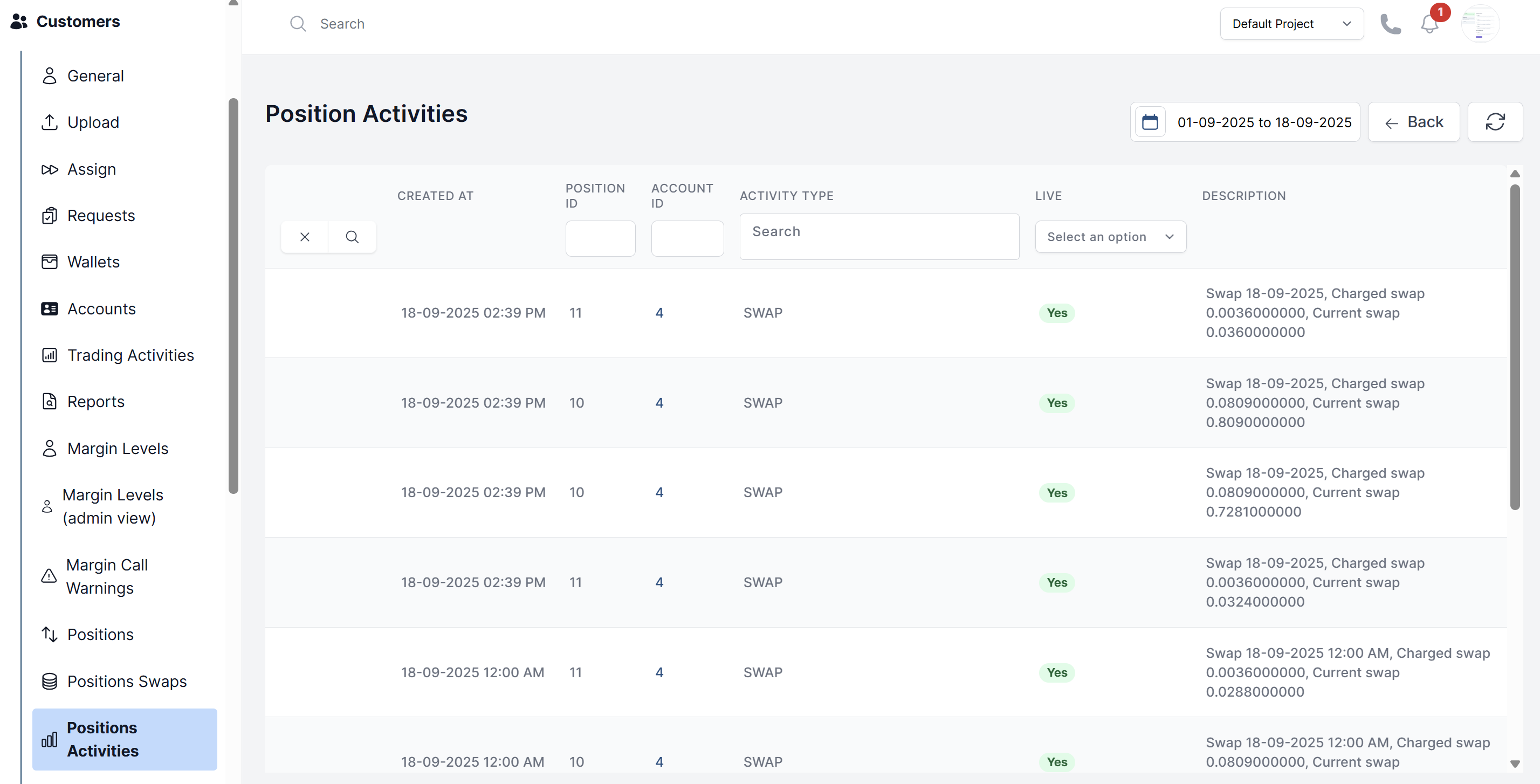
This log provides a detailed, audit-ready history of all automated and manual actions that have affected trading positions.
Accessing the Log
- Navigate to Customers > Position Activities.
- You are presented with a filterable table of events.
Understanding Activity Types
Filter the list by these common activity types:
- Swap: Records each time a swap (overnight financing fee) was charged or credited to a position.
- Commission: Records each time a commission was charged on a position.
- Margin Close: Records when the system automatically closed a position due to a margin call.
- Opening: Records the position openings
- Closing: Records the position closings
Using Filters
Use the filters to investigate specific scenarios:
- Activity Type: Filter using selected activity types.
- Account ID: Investigate all activities for a specific client account.
- Position Id Find the position activity using position id.