Payback Emergency Deposit
Applies to: Clients with active emergency deposits, Administrators
This guide explains the different methods available for repaying emergency deposits within the 72-hour timeframe to avoid penalties.
Repayment Methods
1. Full Payback by Customer
Through Client Portal:
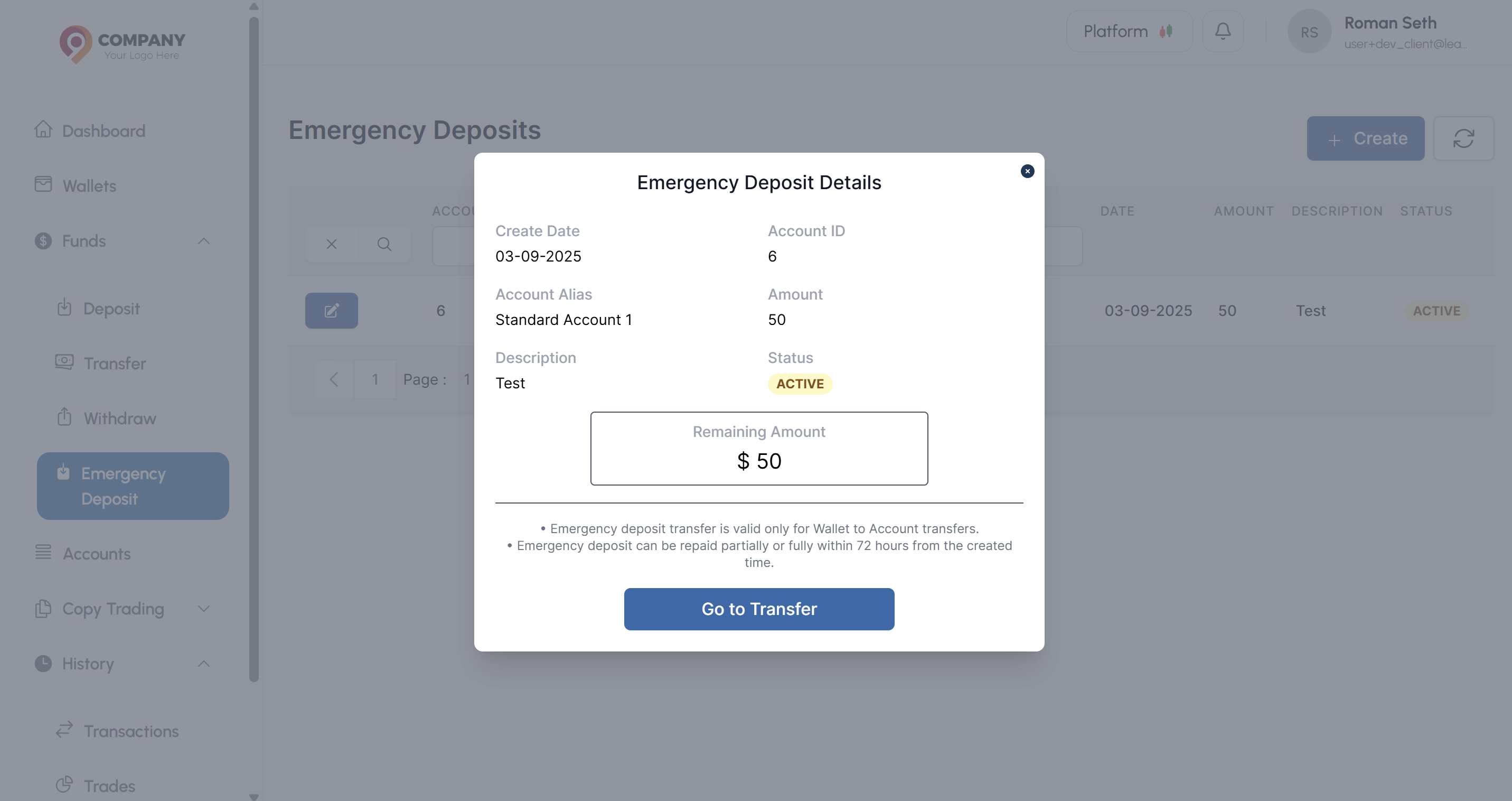
- Navigate to Funds → Emergency Deposit
- Select the active emergency deposit
- Click Action Button and click Go to Transfer in Emergency Deposit Details Modal
- Transfer the amount from your wallet to settle the emergency deposit
- Status will be changed to
REPAID_BY_CUSTOMERimmediatley - Transaction restrictions will be removed immediately after successful repayment
2. Payback by System (Automatic)
If customer fails to repay within 72 hours:
- System automatically deducts the full ED amount
- Additional 20% fine is applied to the account balance
- Calculation:
Total Deduction = ED Amount + (ED Amount × 0.20) - Status will be changed to
PAYBACK_BY_SYSTEMimmediatley - Transaction restrictions are removed after deduction
3. Full Payback Manual (via CRM)
By administrators:
- Agent receives manual payment from customer
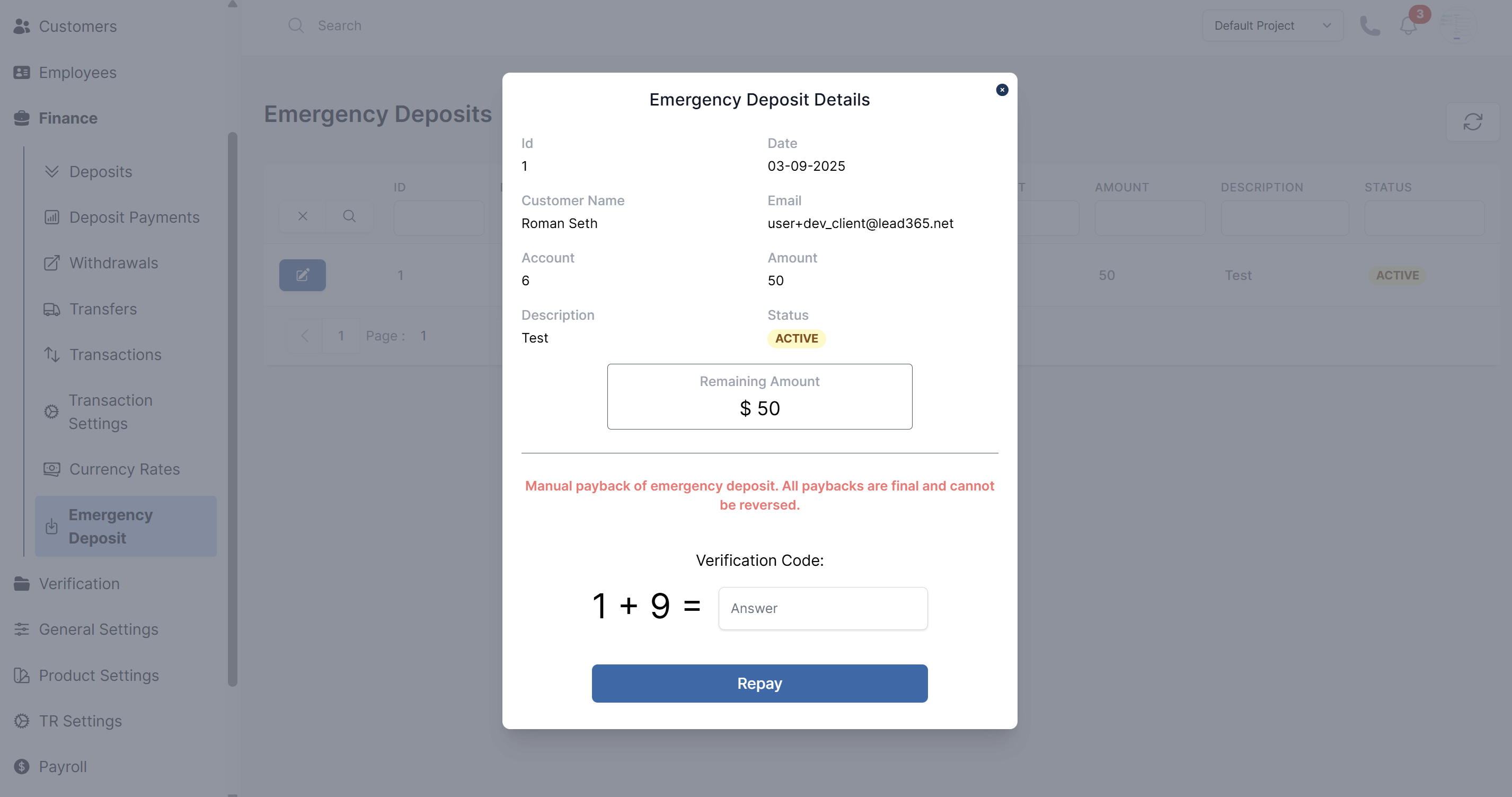
- Navigate to CRM → Emergency Deposit under Finance
- Find the customer's active emergency deposit
- Click action button
- Click the Repay button after verification
- Status will be changed to
REPAID_BY_CUSTOMERimmediatley - Transaction restrictions are removed immediately
Partial Payments
How Partial Payments Work
- Customers can make multiple partial payments
- Each payment reduces the outstanding ED amount
- The 72-hour timer continues running
- If not fully repaid in 72 hours, the remaining amount incurs 20% fine
Partial Payment Example
- Original ED Amount: $1,000
- Partial Payment 1: $400 (after 24 hours)
- Partial Payment 2: $300 (after 48 hours)
- Remaining after 72 hours: $300
- System Deduction: $300 + $60 (20% fine) = $360
72-Hour Timeline
Critical Timeframes
- Hour 0: Emergency deposit activated, restrictions applied
- Hour 1-71: Customer can make full or partial payments
- Hour 72: System automatically settles any remaining amount with fine
What Happens at 72 Hours
- System checks for remaining ED balance
- Deducts remaining amount from account balance
- Adds 20% fine of the remaining amount
- Removes all transaction restrictions
- Sends notification to customer
- Logs the automatic settlement for audit purposes
Fine Structure
20% Fine Calculation
Fine Amount = Remaining ED Amount × 0.20 Total Deduction = Remaining ED Amount + Fine Amount
Fine Examples
- $500 remaining: $100 fine, $600 total deduction
- $1,000 remaining: $200 fine, $1,200 total deduction
- $2,000 remaining: $400 fine, $2,400 total deduction
Restrictions Removal
Transaction restrictions are immediately removed after:
- ✅ Successful full repayment by customer
- ✅ Successful manual repayment by agent
- ✅ Automatic system settlement at 72 hours
- ✅ Any partial payment that brings balance to zero