🔐 Logging In & Managing Your Password
Welcome! This guide will walk you through logging into the CRM for the first time and show you how to easily reset your password if you ever forget it.
Logging Into the CRM
Why should I log in? Logging into the CRM is your first step to a productive day. It's your central hub for managing all your leads, tracking communication, and staying on top of your tasks. Everything you need to succeed is waiting for you inside!
How to Log In
- Go to the Login Page: Open your web browser and navigate to the CRM login URL provided by your manager.
- Enter Your Email: In the first field, type the email address you used to register your account.
- Enter Your Password: In the second field, type your secure password.
- Click Sign In: Hit the "Sign In" button to access your personalized dashboard and get started!
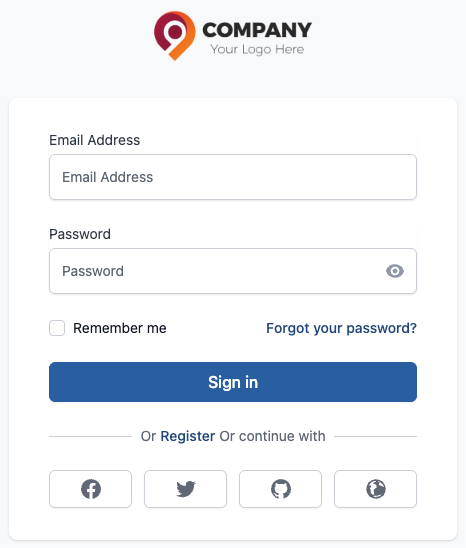
Figure 1: Log In
🔑 Forgot Your Password? No Problem!
It happens to everyone! If you've forgotten your password and can't log in, you can easily reset it yourself in just a few simple steps.
How to Reset Your Password
- Click the "Forgot Password" Link: On the login page, look for and click on the "Forgot your password?" link.
- Enter Your Email Address: A new screen will prompt you to enter the email address associated with your CRM account. Type it in and click submit.
- Check Your Inbox for a Code: The system will immediately send a verification code to your email.
Tip: If you don't see the email within a few minutes, be sure to check your spam or junk folder!
- Enter the Verification Code: Return to the CRM page and enter the code you received in your email.
- Create Your New Password: Once the code is verified, you'll be able to enter and confirm a new, secure password for your account.
- Log In! That's it! You can now return to the login page and sign in with your new password.
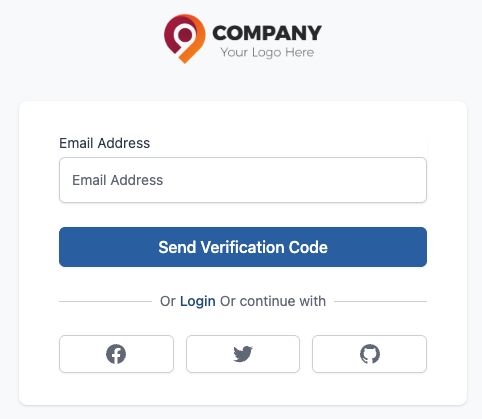
Figure 2: Reset Password
🛡️ Password Security Best Practices
Keeping your account secure is very important. Here are a few tips for managing your password:
- Create a strong password by mixing upper and lowercase letters, numbers, and symbols (like
!,@,#). - Avoid using common words or personal information like your birthday.
- Never share your password with anyone, including your colleagues or manager.
- Do not reuse passwords from other websites or applications.